Skip to content
BeatGrid
Music

BeatGrid

Finds the beat, kicks, snares and hi-hats in your song, marks them on your Premiere Pro timeline, and cuts your photos and videos to the beat in one click.

PrPremiere Pro

Overview

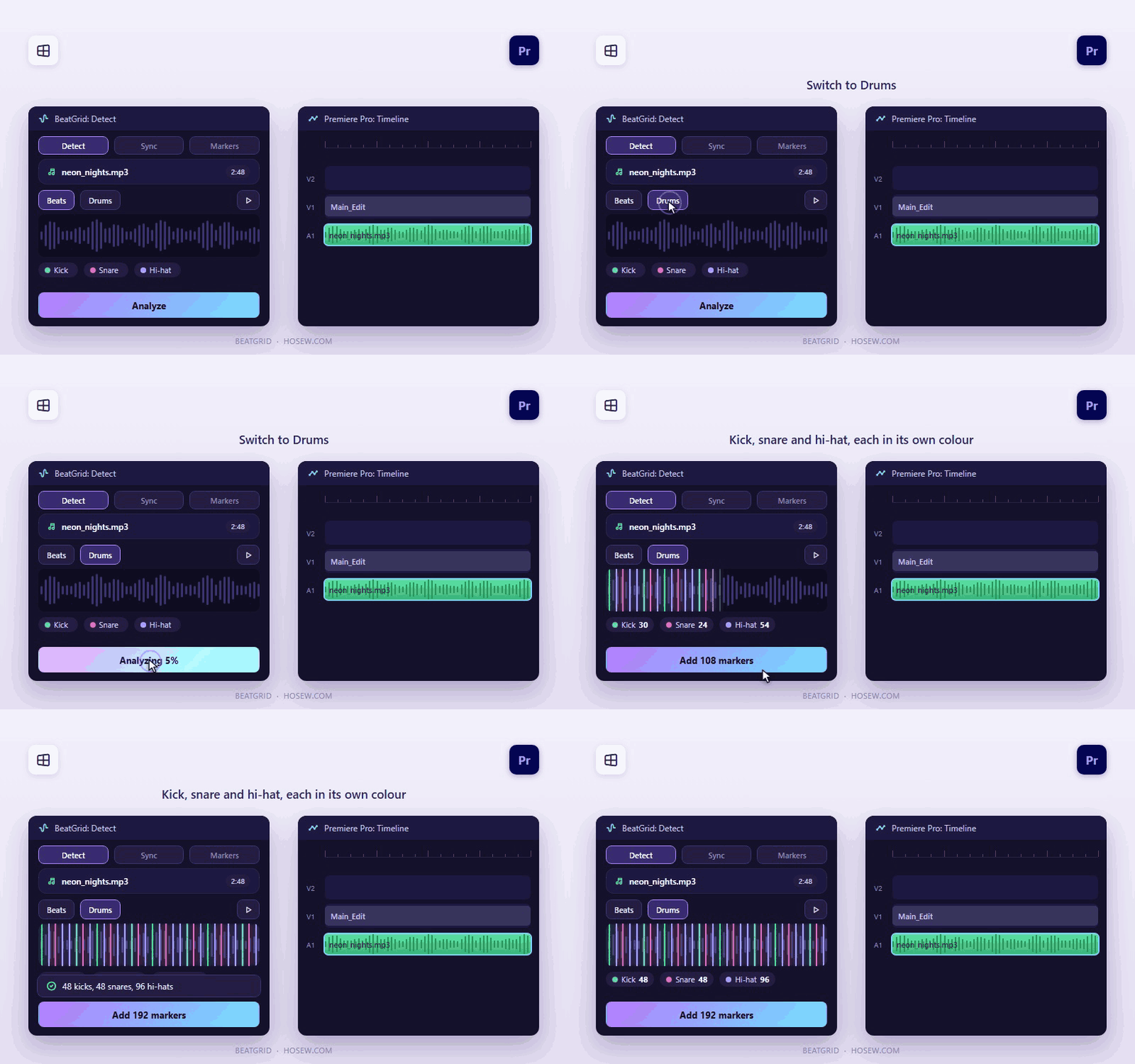
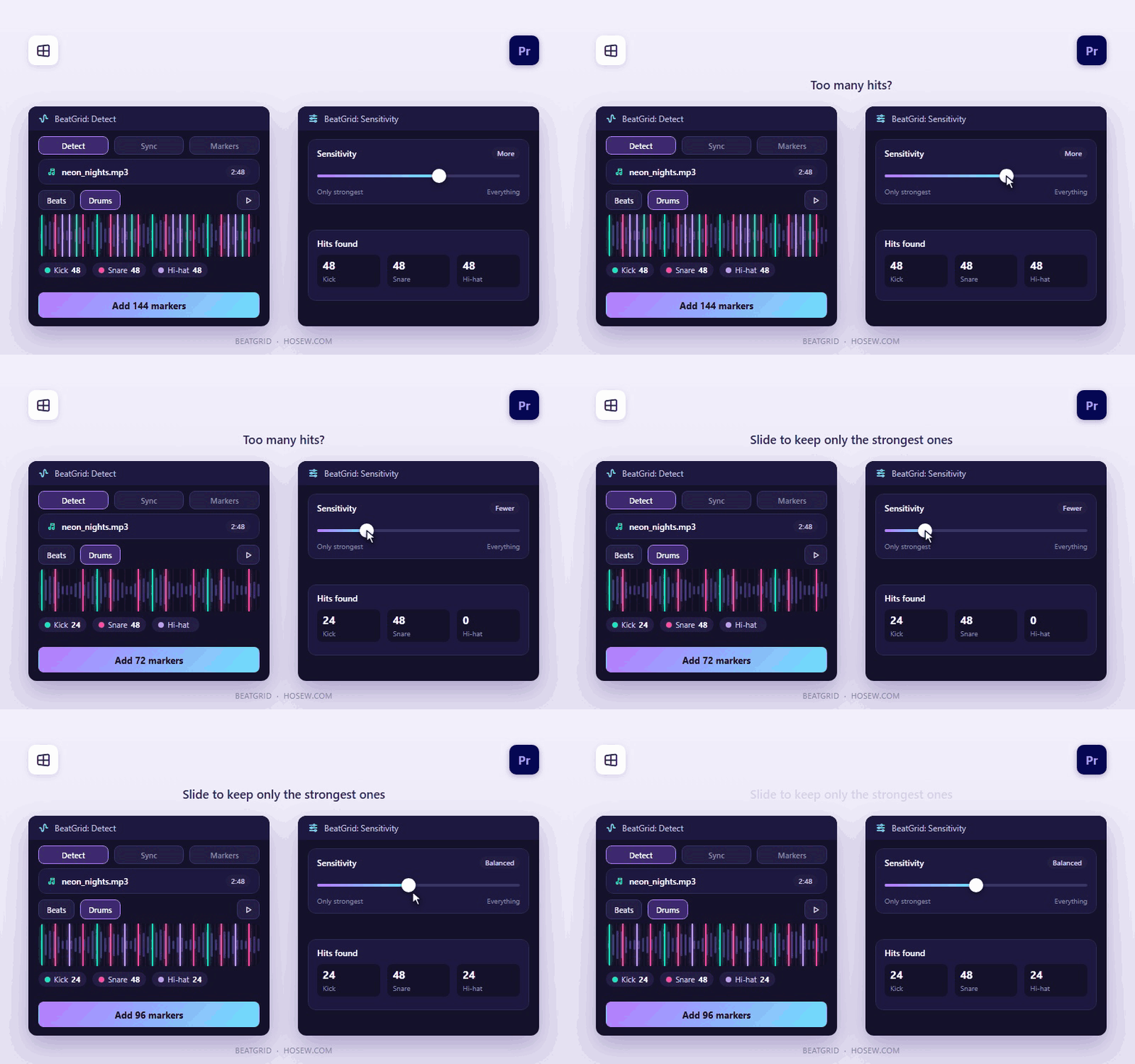
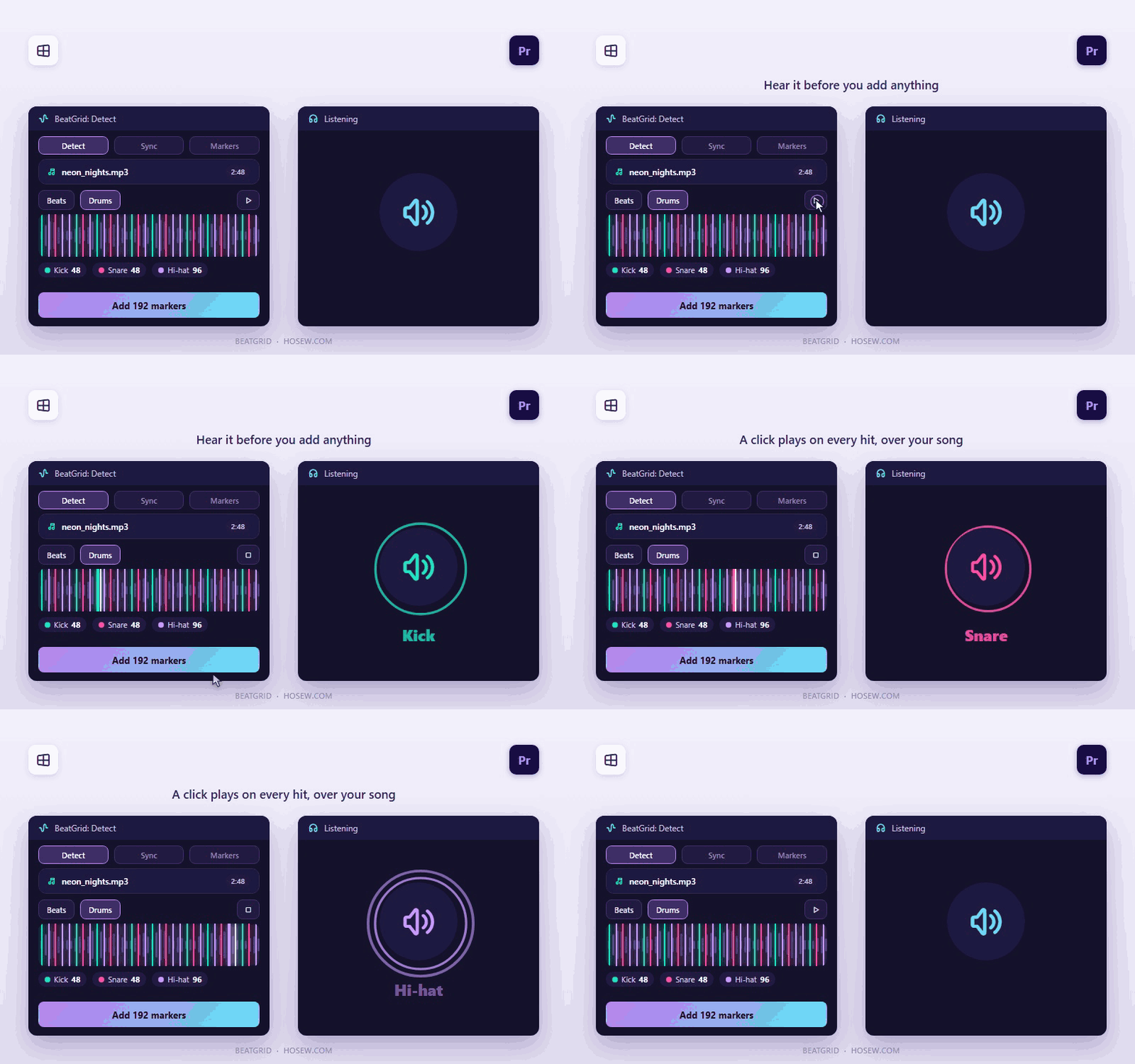
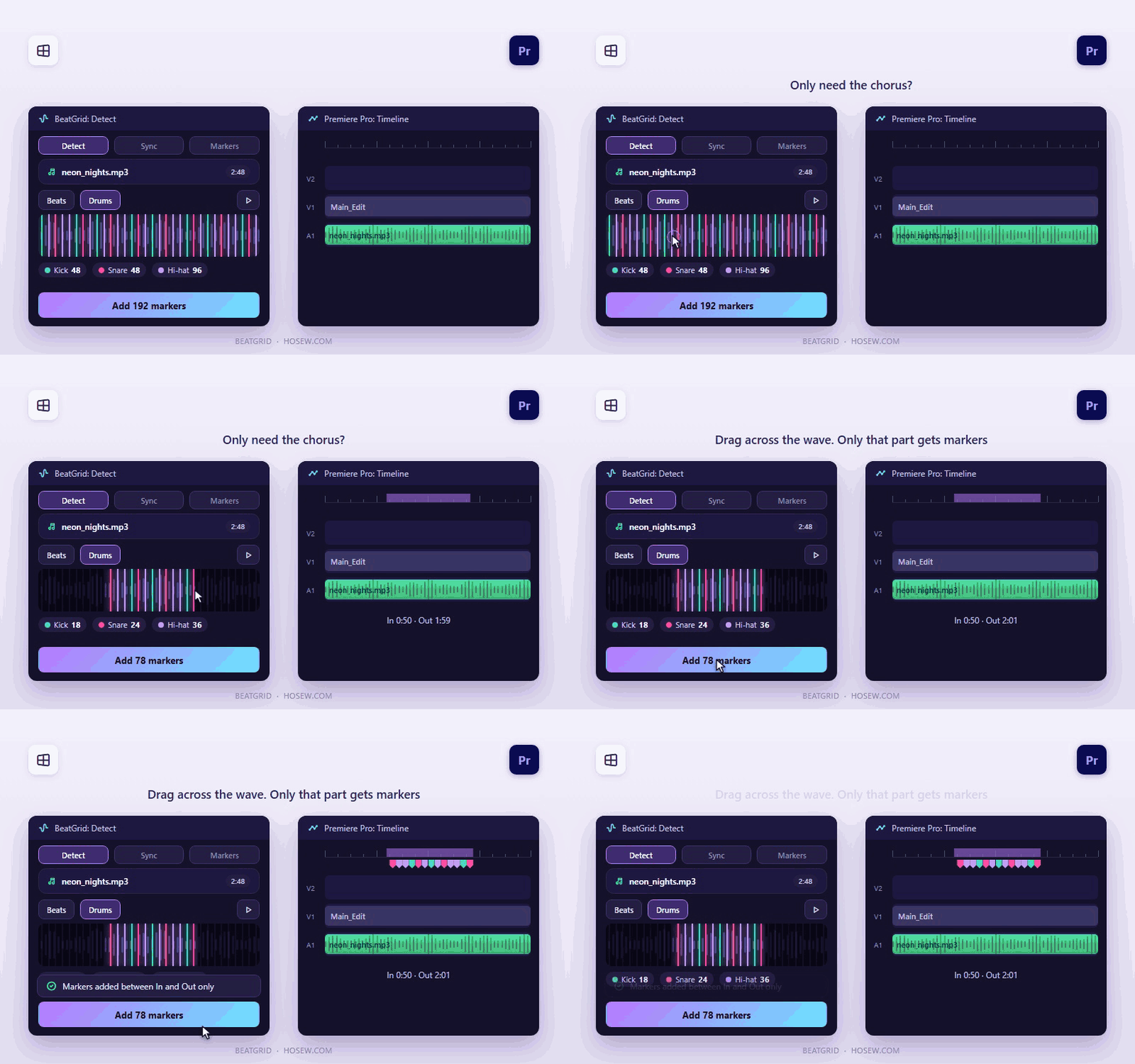
Every beat, marked. Every cut, on time. A panel for Adobe Premiere Pro that listens to your music, finds the beat and the kick, snare and hi-hat hits, and puts colour-coded markers on your timeline. Then it cuts your photos and videos to those markers in one click. Hear every marker before anything is added, and undo any edit. Sync your clips: follow the markers or the song itself, in order or shuffled, repeat to fill or use each clip once, and limit everything to an In and Out range. Clips go on a new track, so nothing of yours is overwritten. Compatibility: Windows 10/11 (64-bit), Premiere Pro 25.6 or newer. One setup installs the panel and the BeatGrid helper, which analyses your music on your own computer. Nothing is uploaded. The setup isn't code-signed yet, so Windows may ask you to click More info, then Run anyway. Free updates within version 1 from your Gumroad library. 14-day refund, no questions asked. Built by an editor, for editors.

See it in action

Short clips of the real panel.
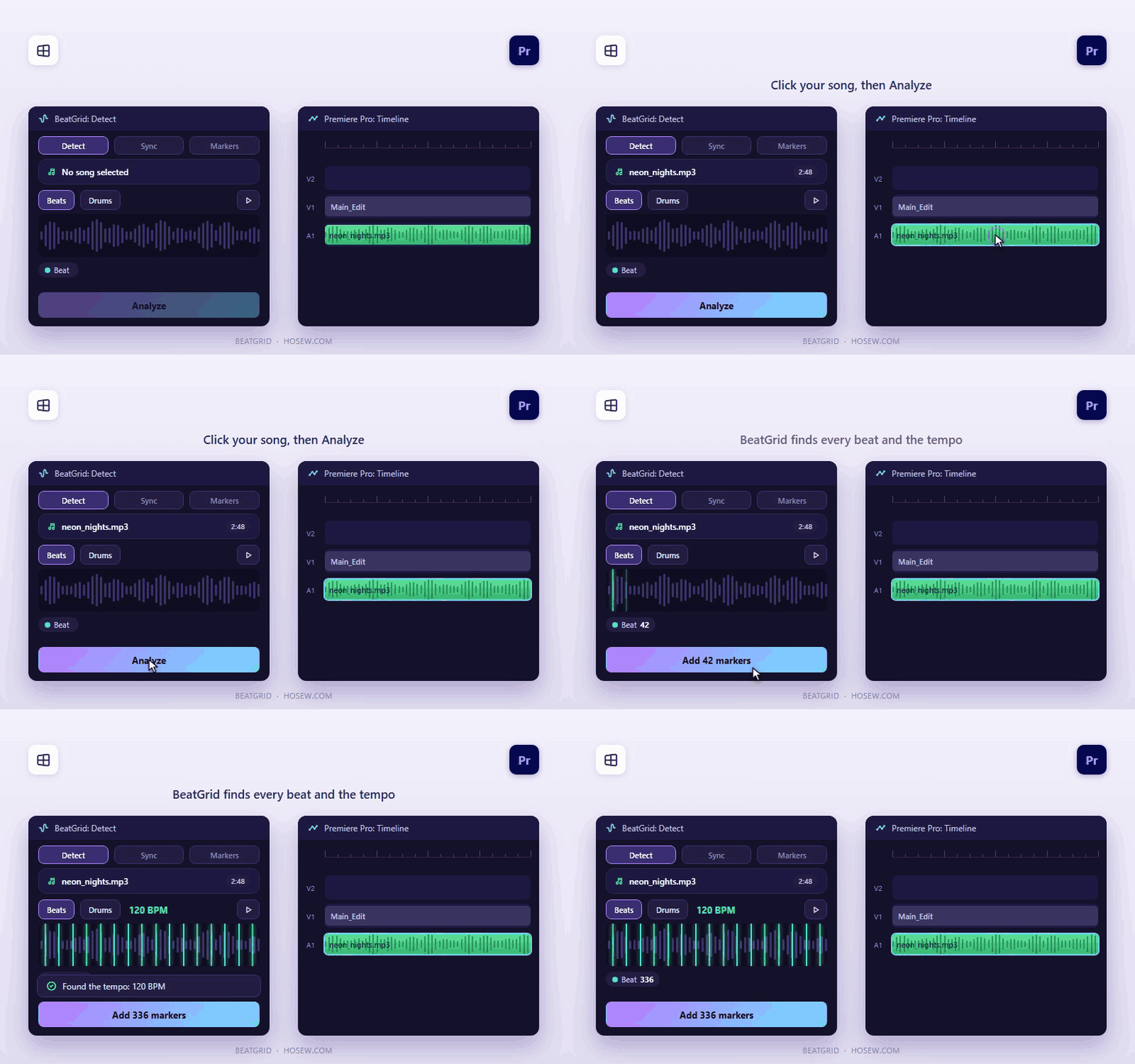
Find the beat and tempo
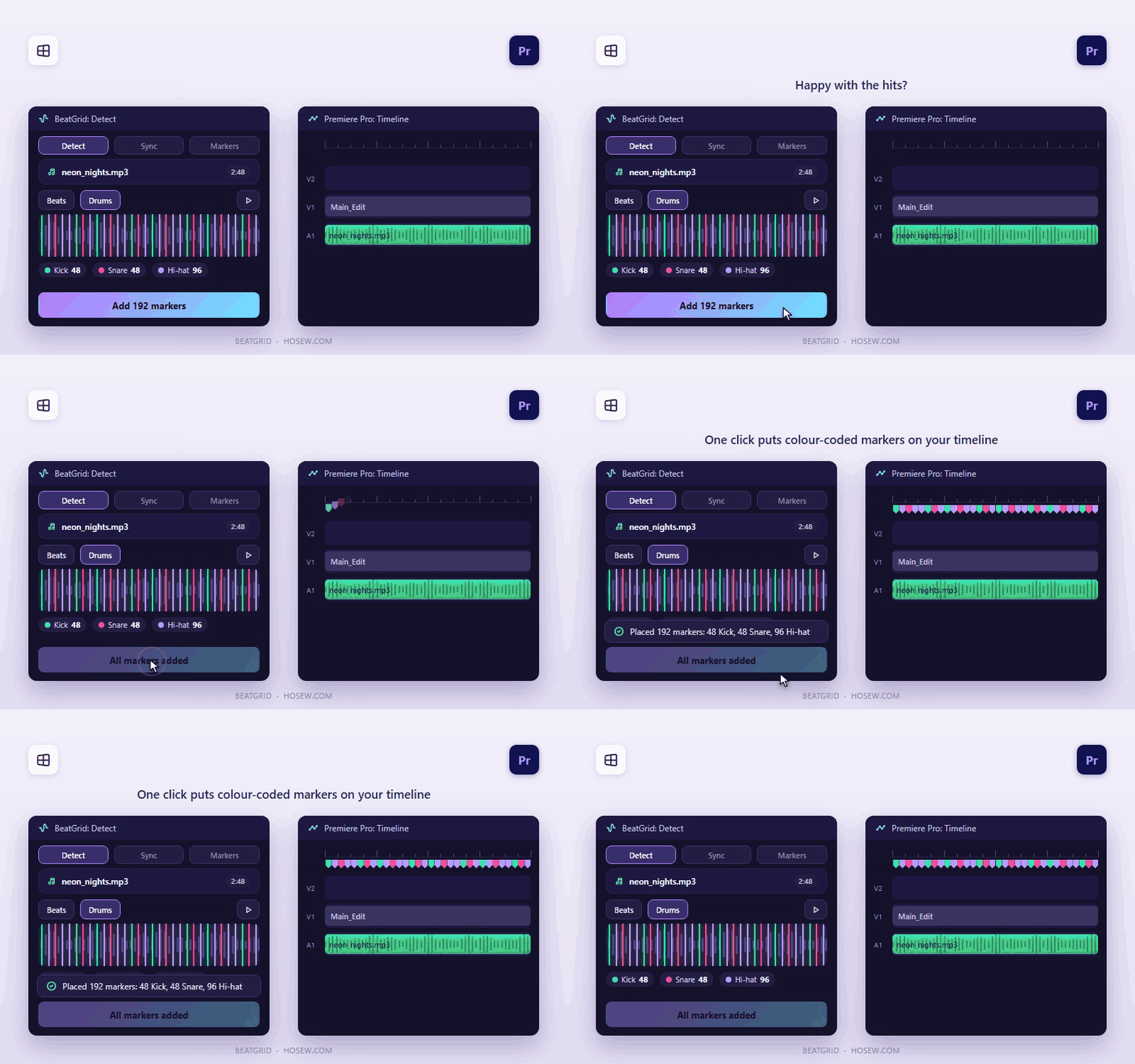
Kick, snare and hi-hat detection
Keep only the strongest hits
Listen before adding markers
Limit markers to an In and Out range
Add colour-coded timeline markers
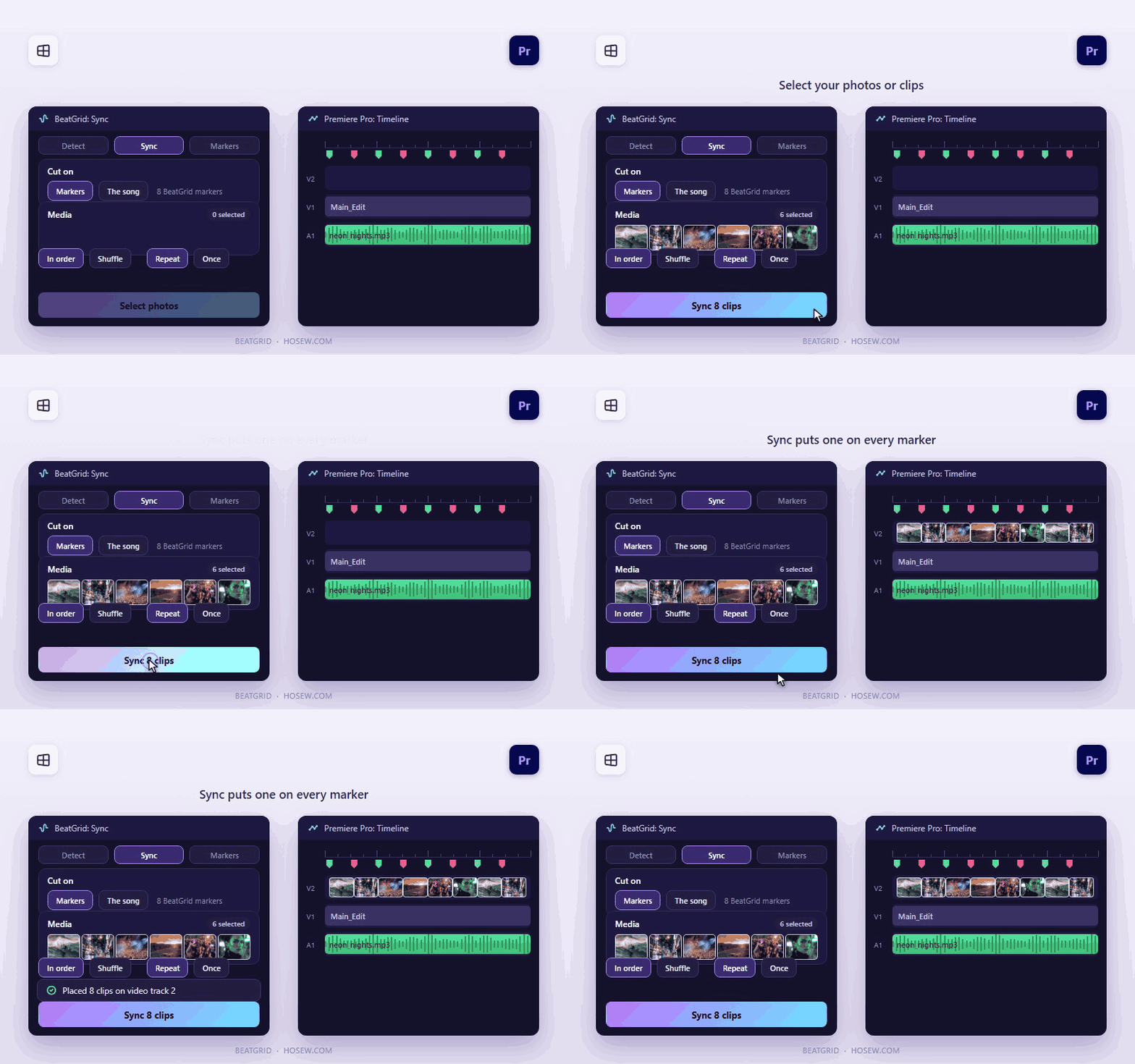
Sync clips to BeatGrid markers
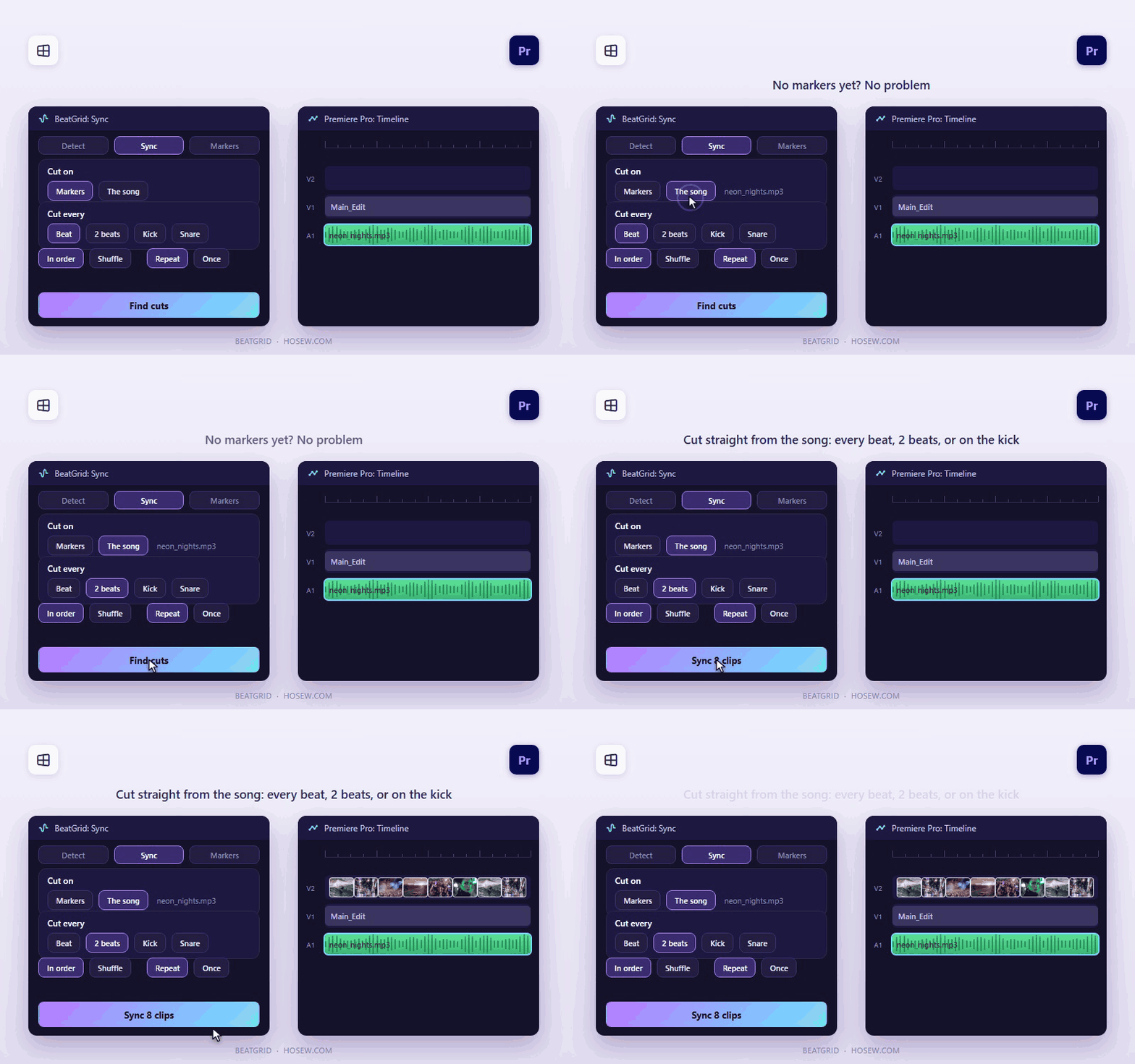
Cut from the song without markers
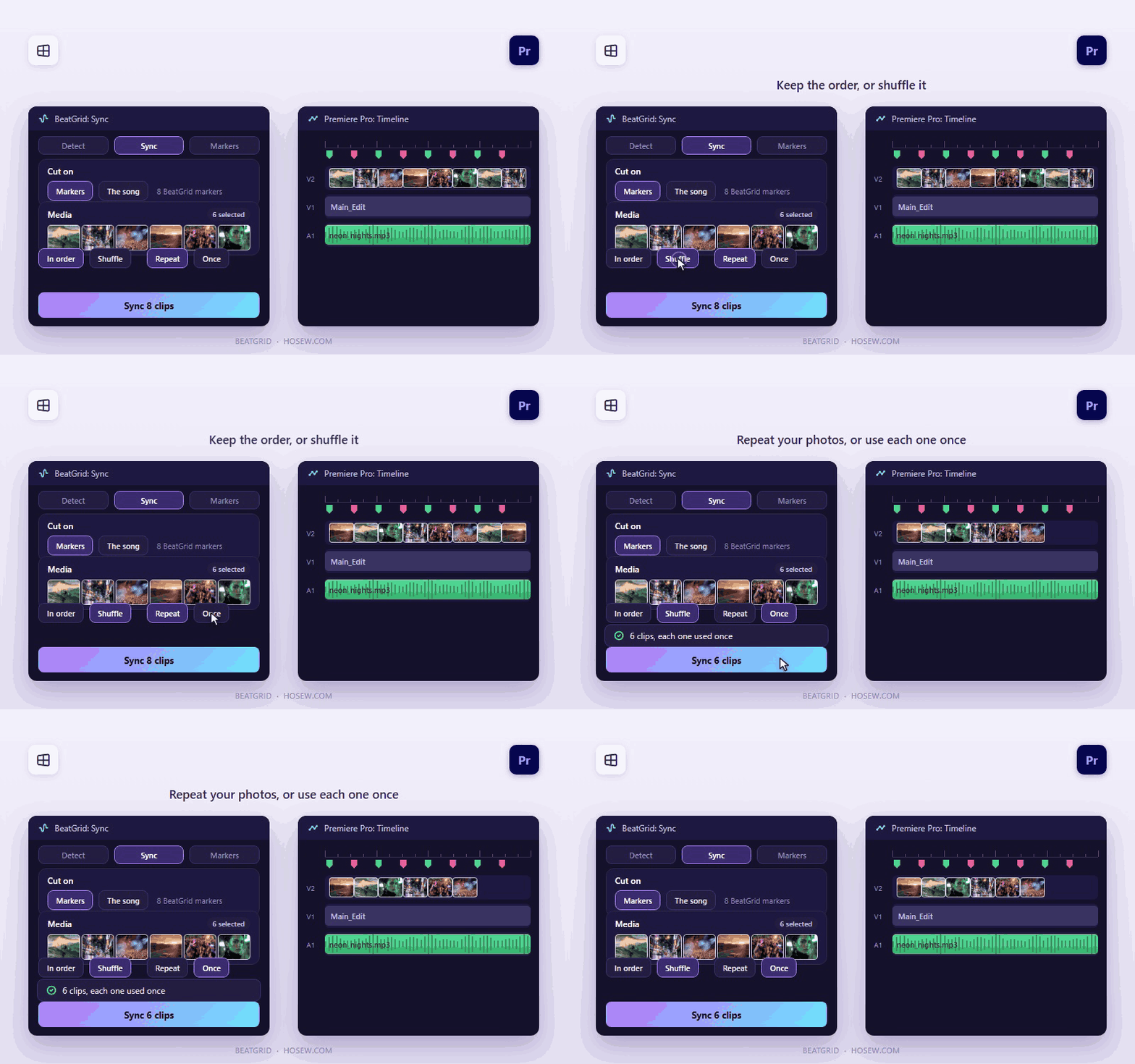
Control order, shuffle and repeat
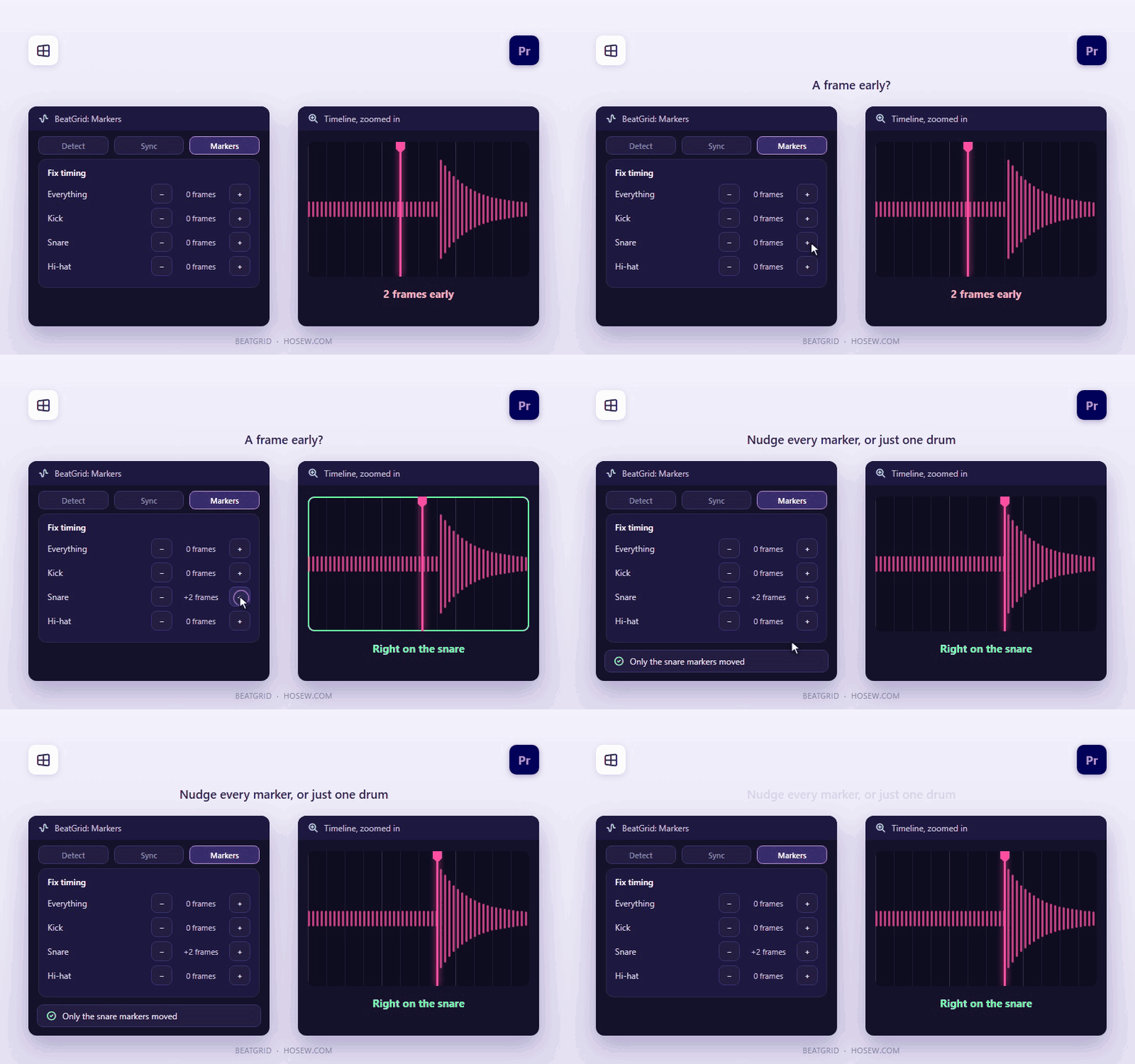
Nudge markers by frame
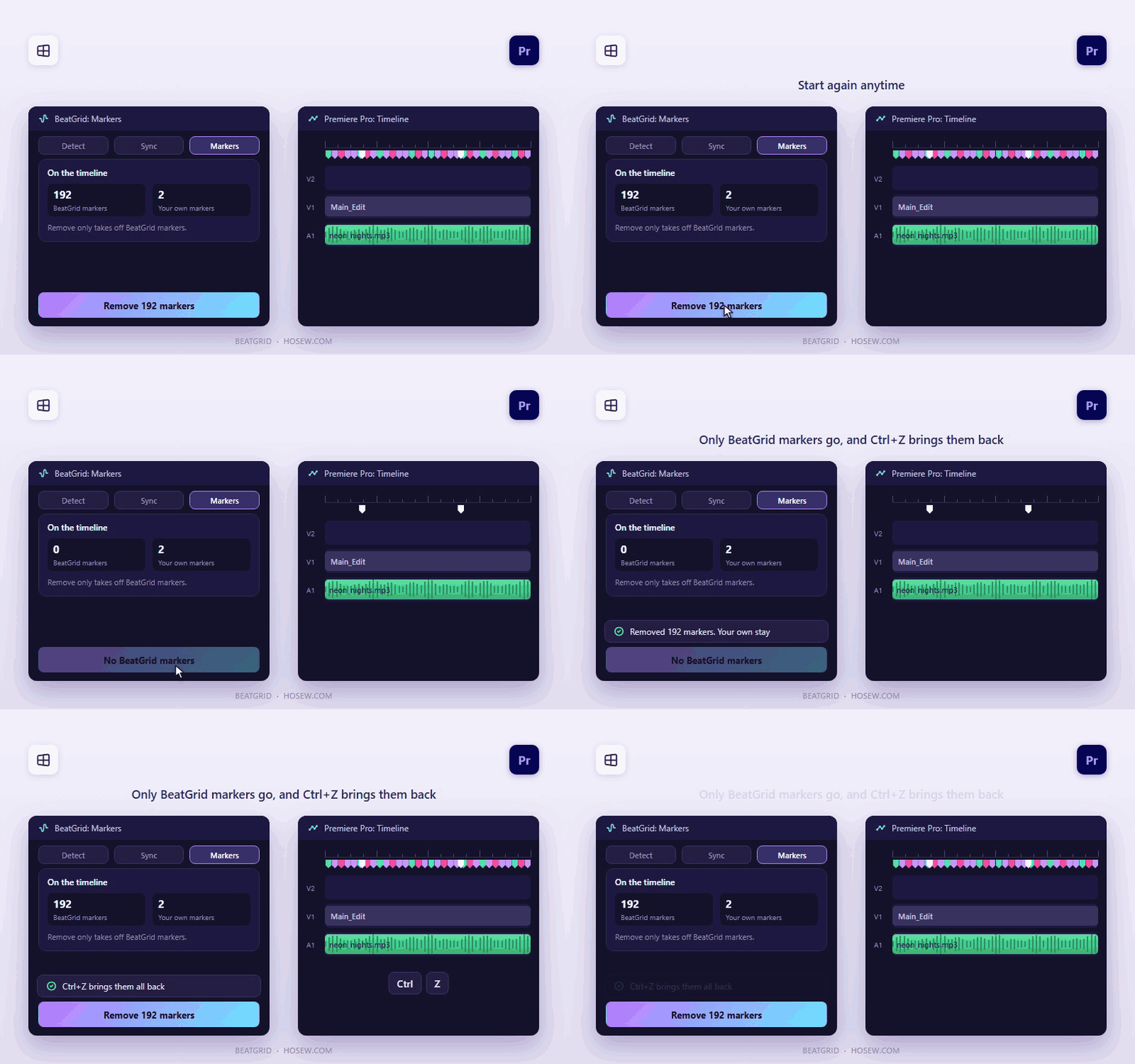
Remove BeatGrid markers and undo
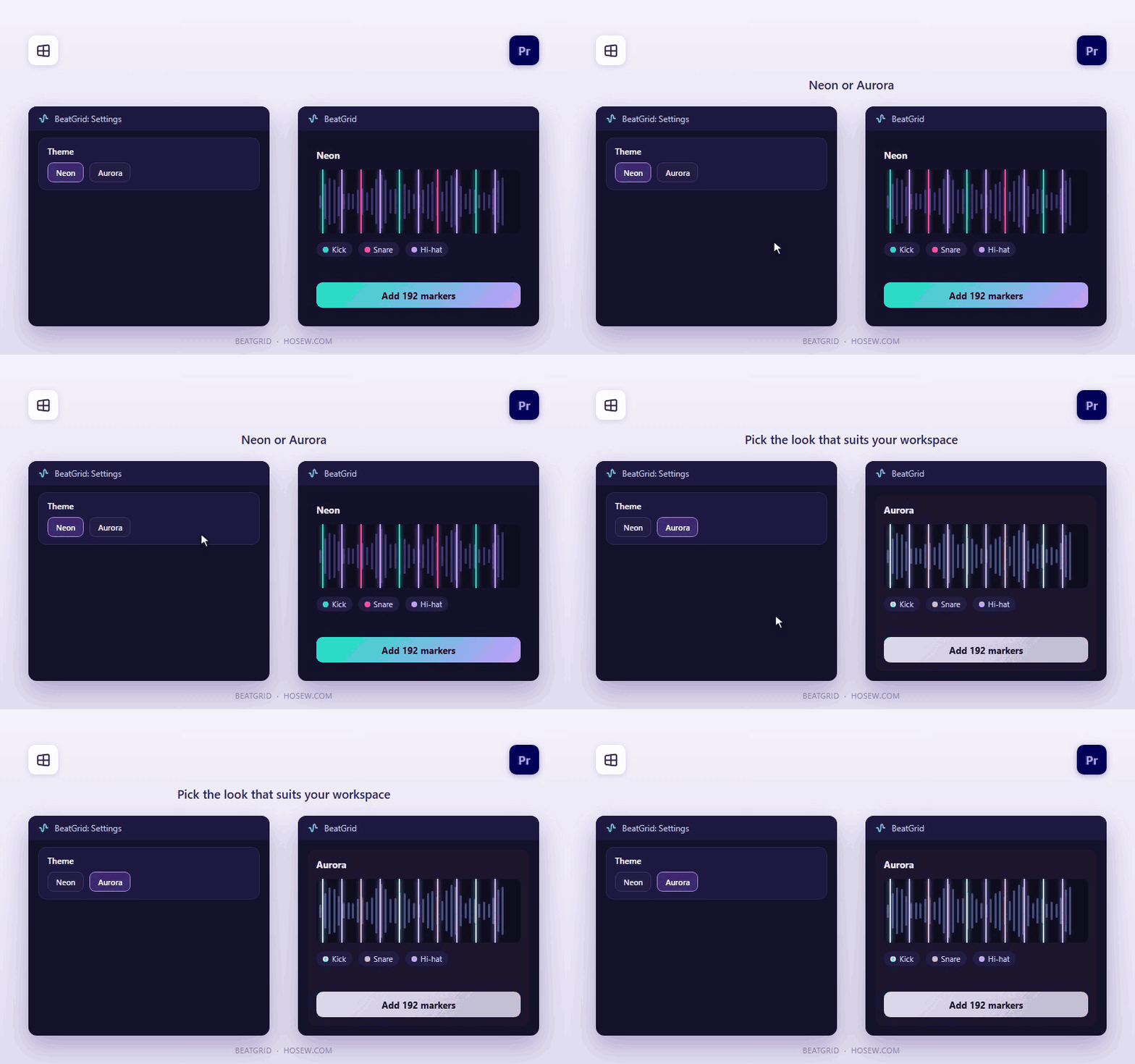
Neon and Aurora themes
Launch offer: $2 instead of $20 (90% off) — limited time.
14-day refund, no questions asked.

Get started in three steps

1

Install the panel

One Windows setup installs the panel and the BeatGrid helper. Premiere Pro 25.6+ on Windows 10/11.

2

Open BeatGrid

Restart Premiere Pro, then Window > UXP Plugins > BeatGrid. The helper starts with Windows by itself.

3

Analyze, then add markers

Click your song, choose Drum hits or Beat grid, press Analyze, then Add markers. Sync cuts your photos and videos to them.

Frequently asked

Which systems and versions does it support?+

Windows 10/11 (64-bit) and Premiere Pro 25.6 or newer. It doesn't run on macOS yet.

How do I install it?+

Unzip the download and run BeatGrid-Setup. It installs the helper and opens Creative Cloud to install the panel. If Windows shows "Windows protected your PC", click More info, then Run anyway.

Is my music uploaded anywhere?+

No. The BeatGrid helper analyses your music on your own computer.

Do I get future updates?+

Yes. Updates within version 1 are free and appear in your Gumroad library.

What if it doesn't work for me?+

Ask for a refund within 14 days and you get it, no questions asked. You can also message support on WhatsApp +20 155 155 3467 or at support@HosEw.com.

Ready to try BeatGrid?

Get it for $2 instead of $20 while the launch offer lasts. 14-day refund, no questions asked.

BeatGrid
$2 USD$20-90%