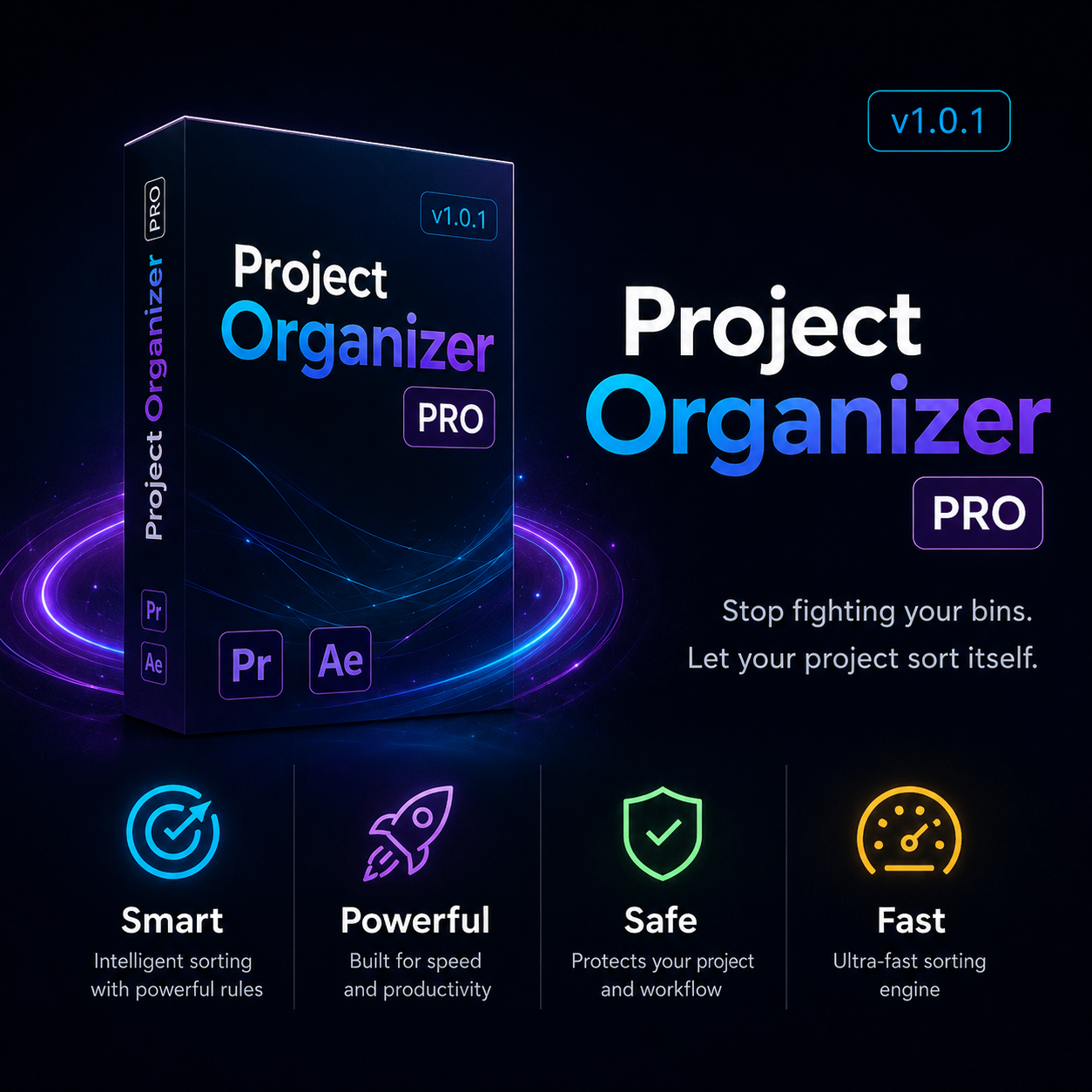
Project Organizer Pro
Preview what will move, then sort your Premiere Pro & After Effects project with one click. Watch folders, health check, relink, undo. 7-day free trial.
Overview
What's included
Everything you get in this pack.
Sort with confidence
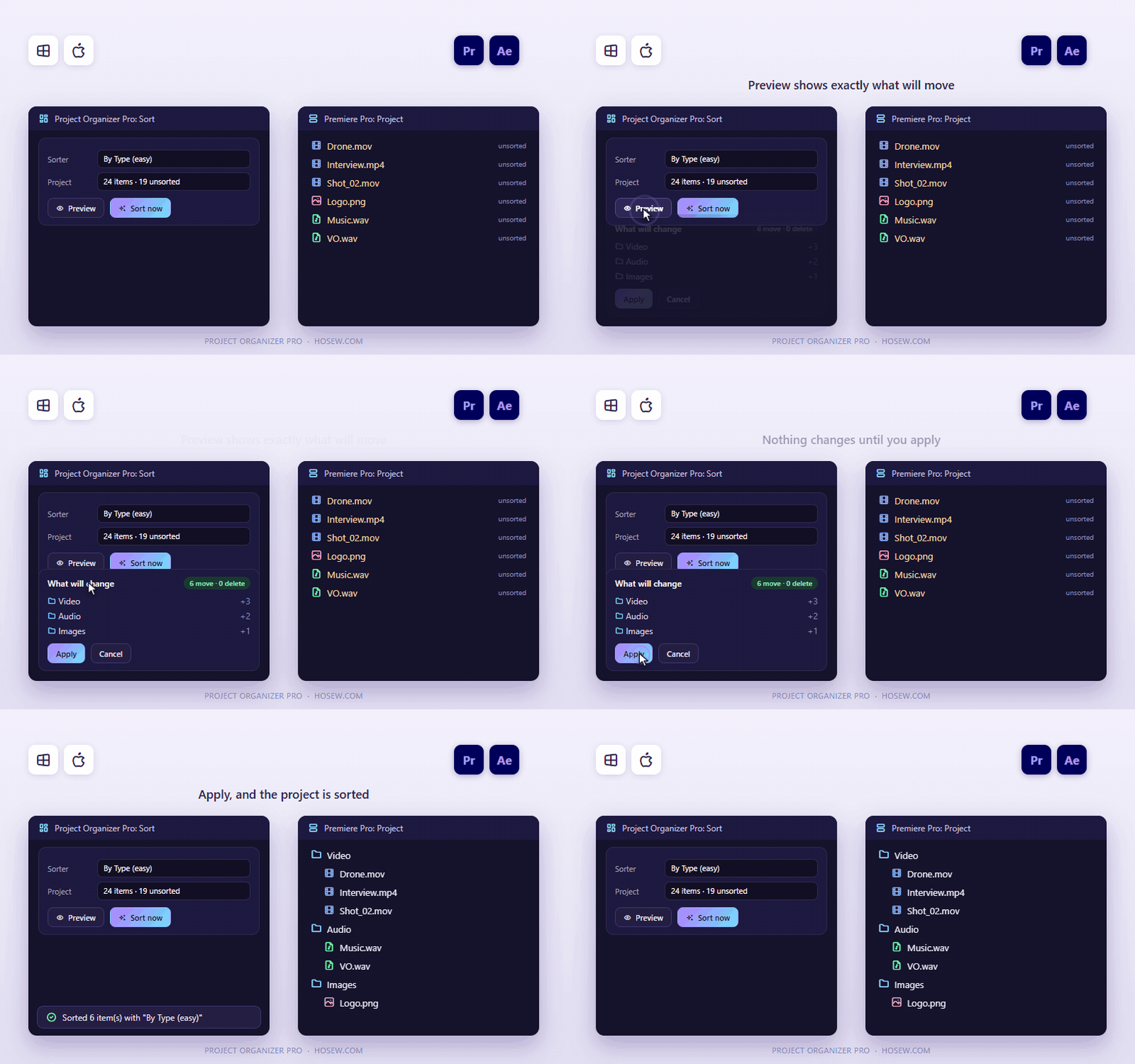
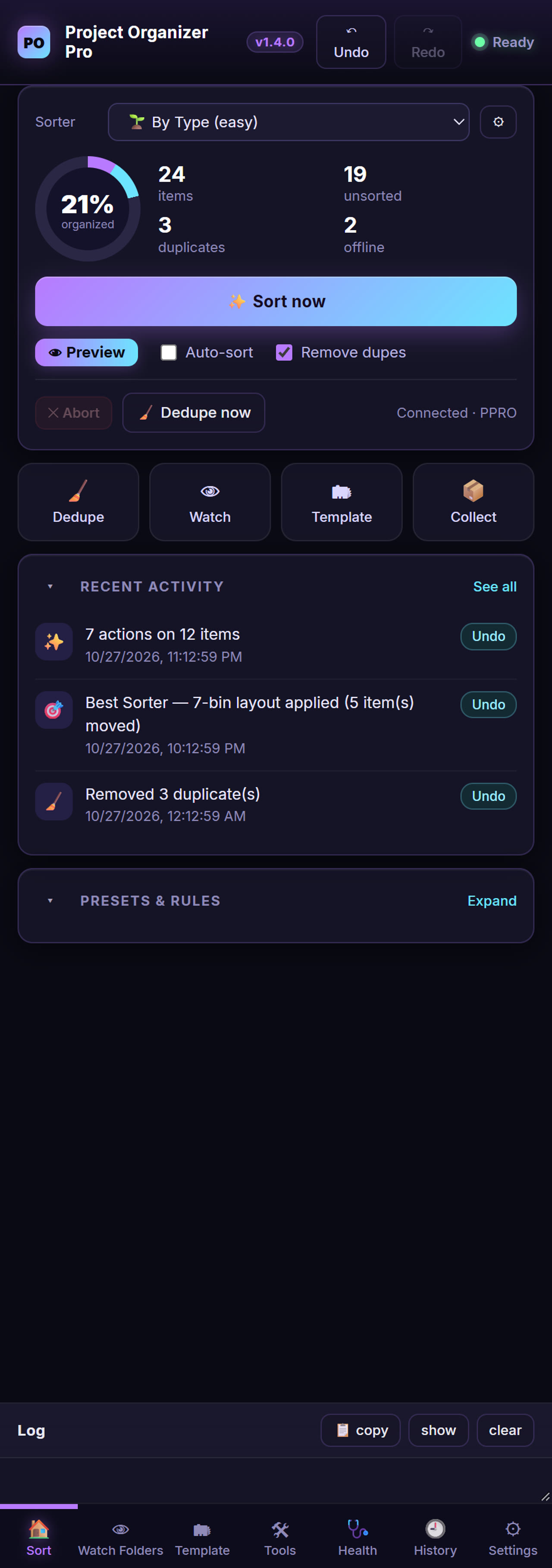
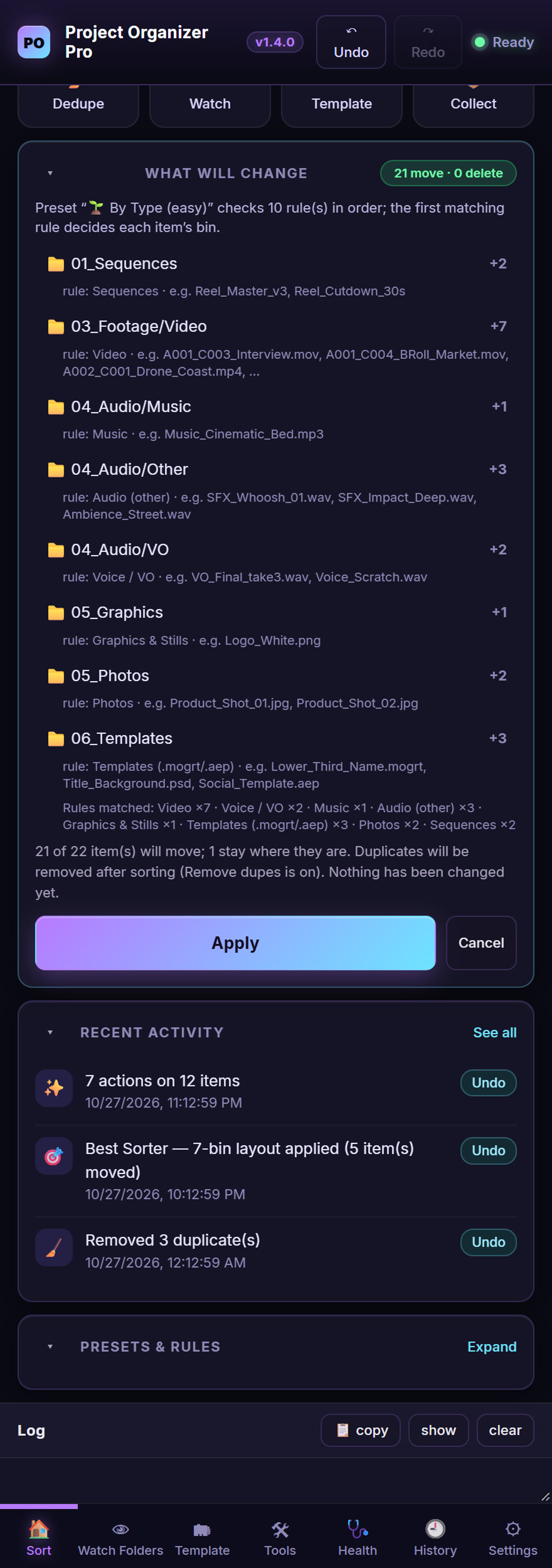
15 built-in presets (5 easy, 5 pro, 5 sequence-colouring) plus your own rules: 20+ conditions, 8+ actions. Preview shows per-bin counts, the rule behind each bin and example clips before anything changes.
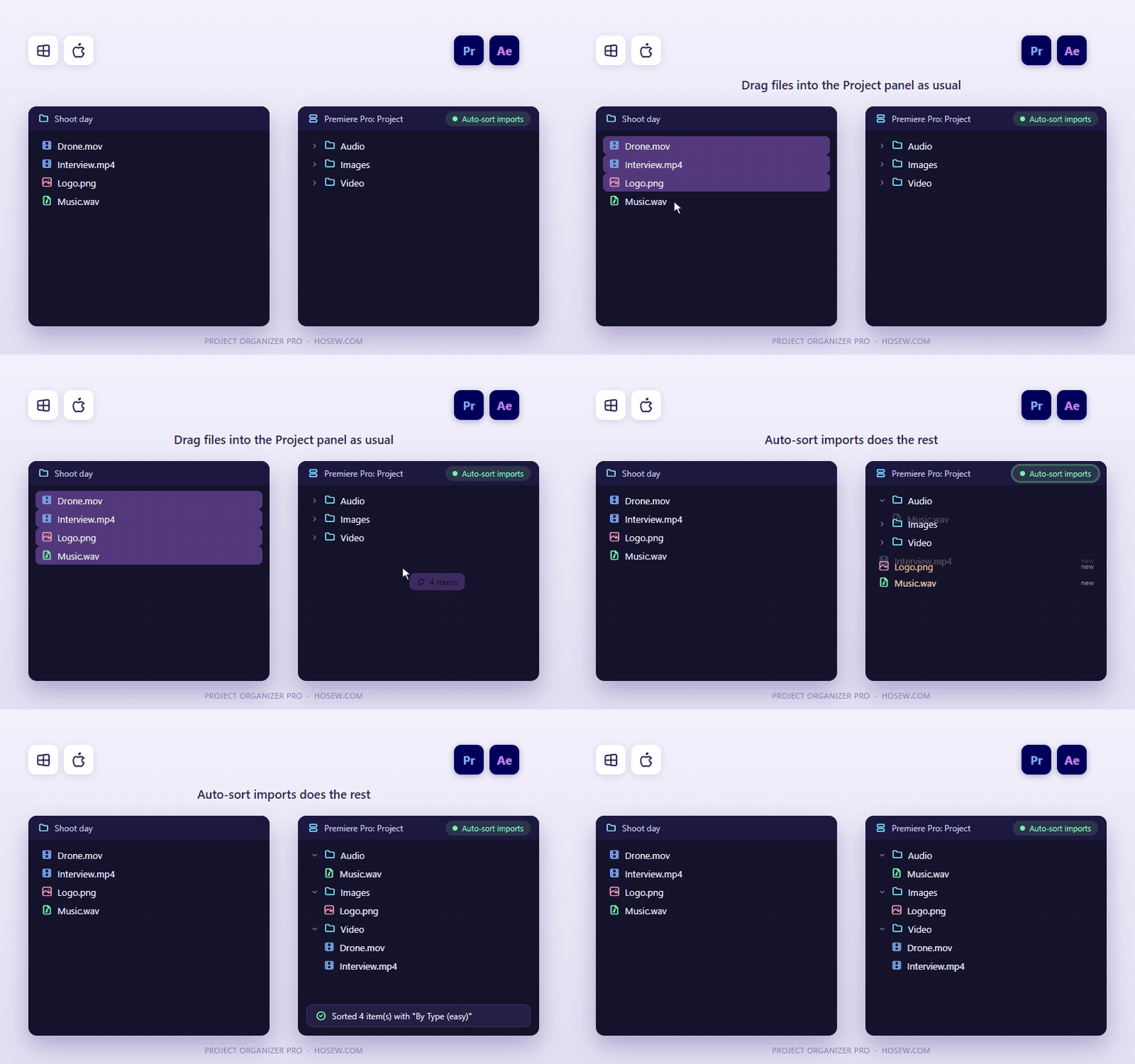
Auto-sort imports
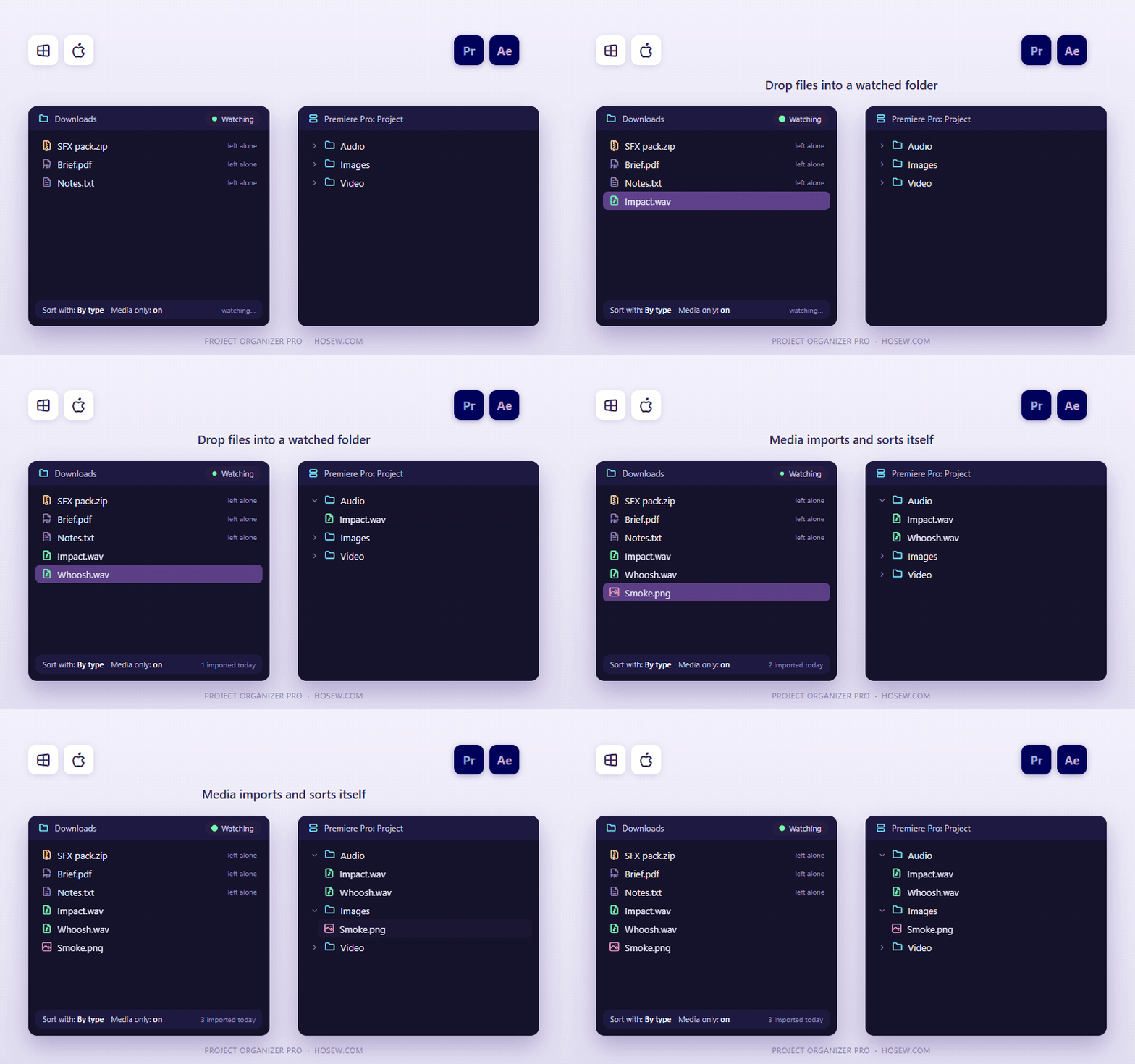
Drag files into the Project panel as usual and they are sorted for you. Sort only what was just added, so big projects stay fast.
Watch folders
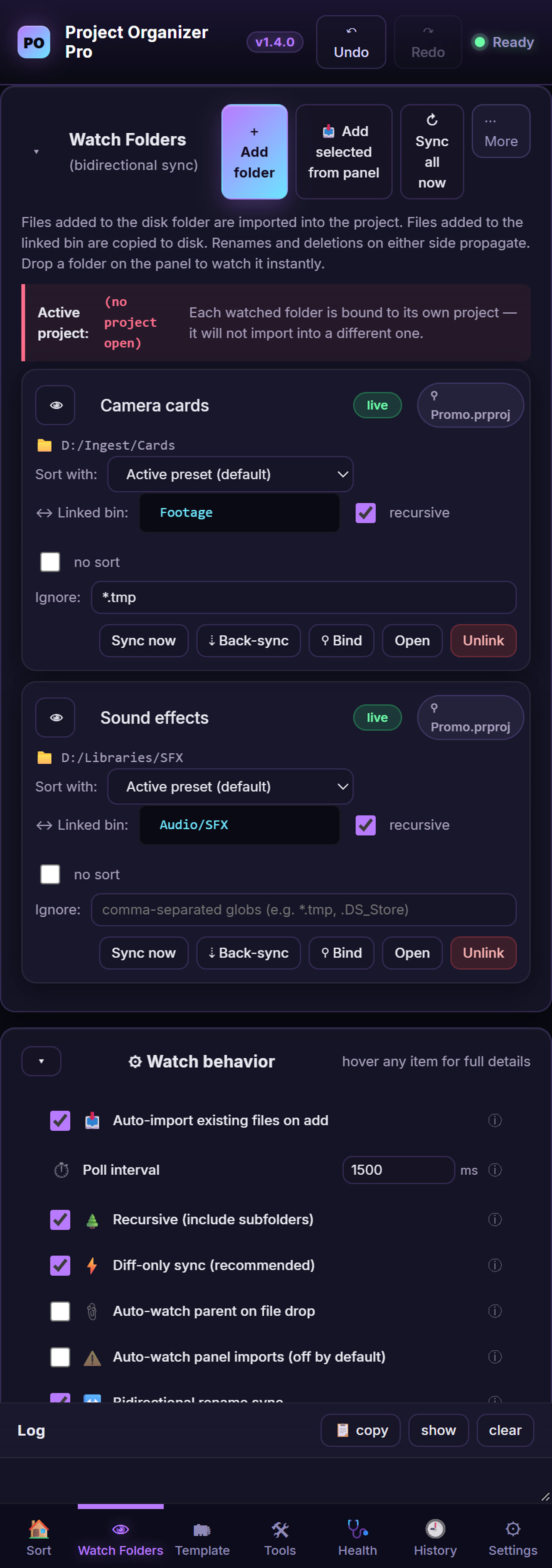
New files dropped into a watched folder are imported and sorted automatically. Each folder has its own preset, a "media only" mode, rename sync, ignore patterns and depth limits.
Folder templates
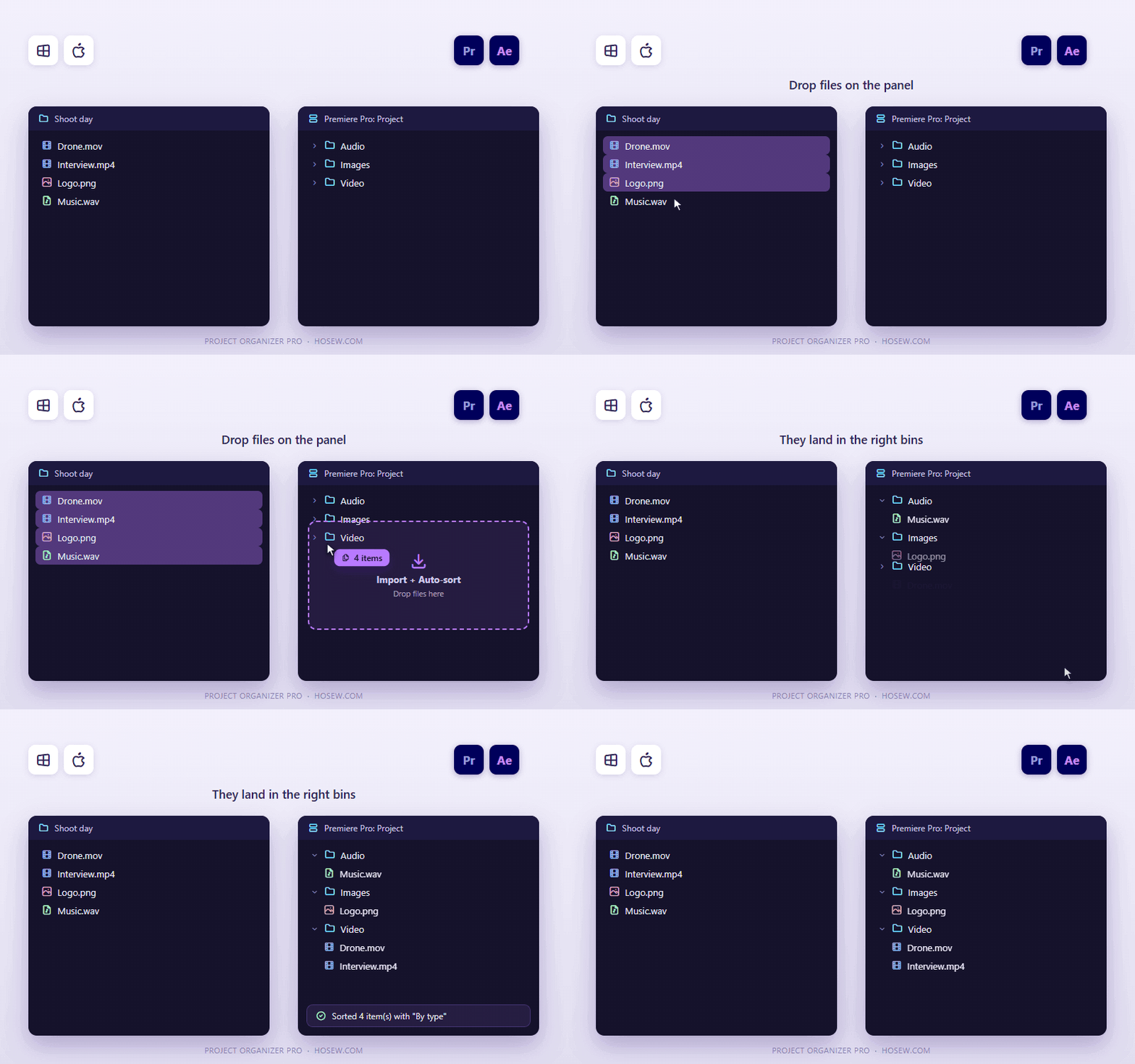
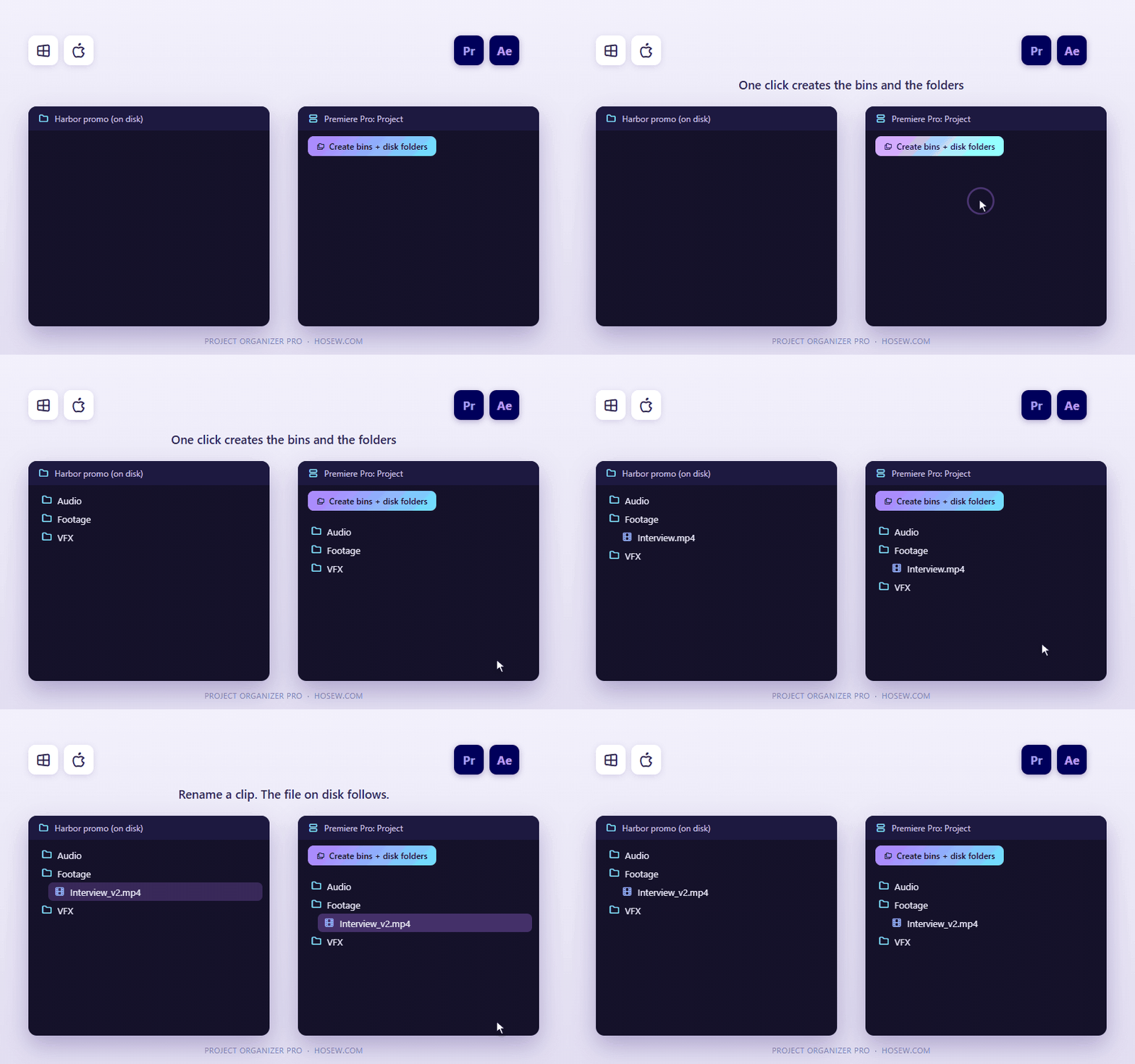
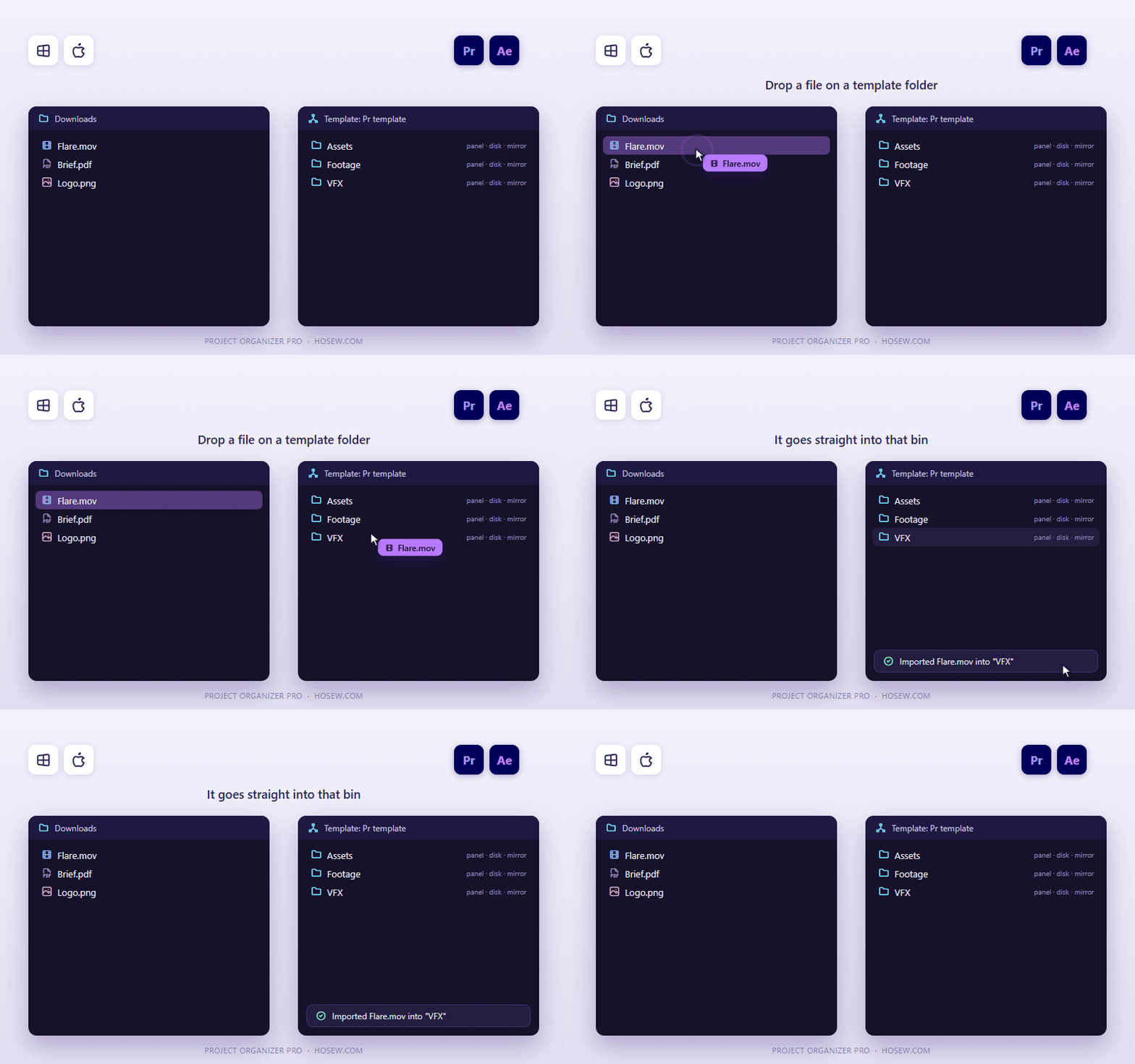
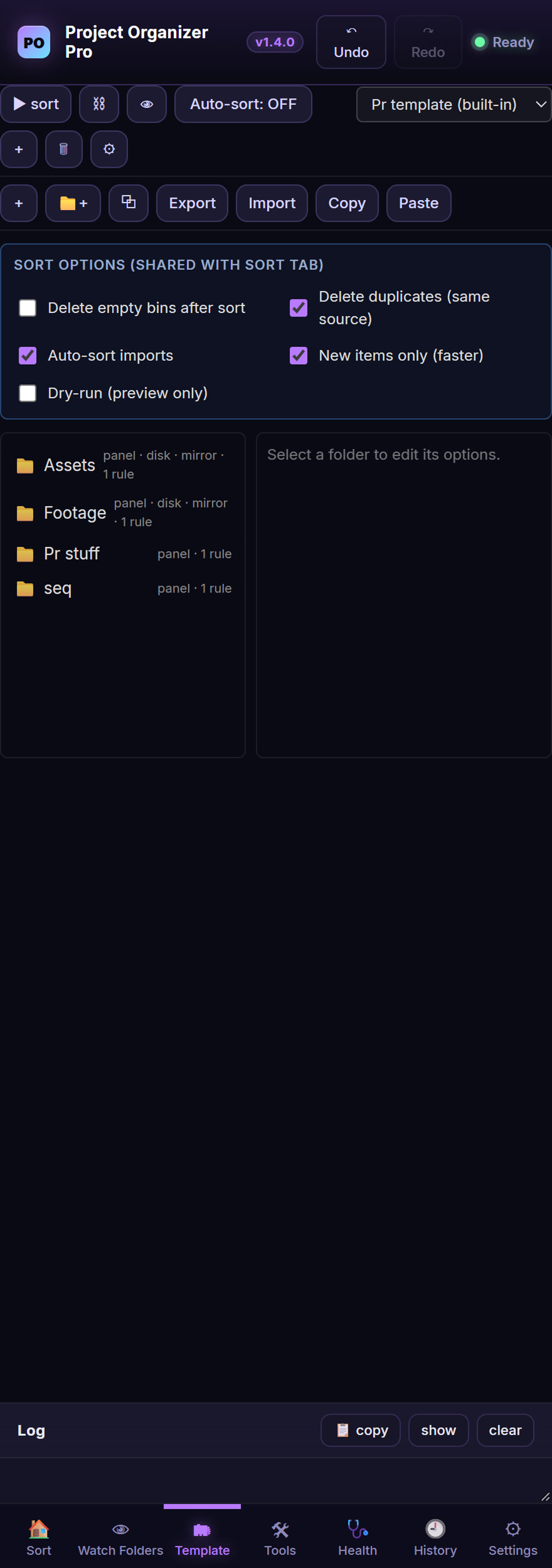
Create the bins and matching disk folders in one click. Drop files on a template folder to import them straight into that bin. Share a template as a file or as text.
Project health and cleanup
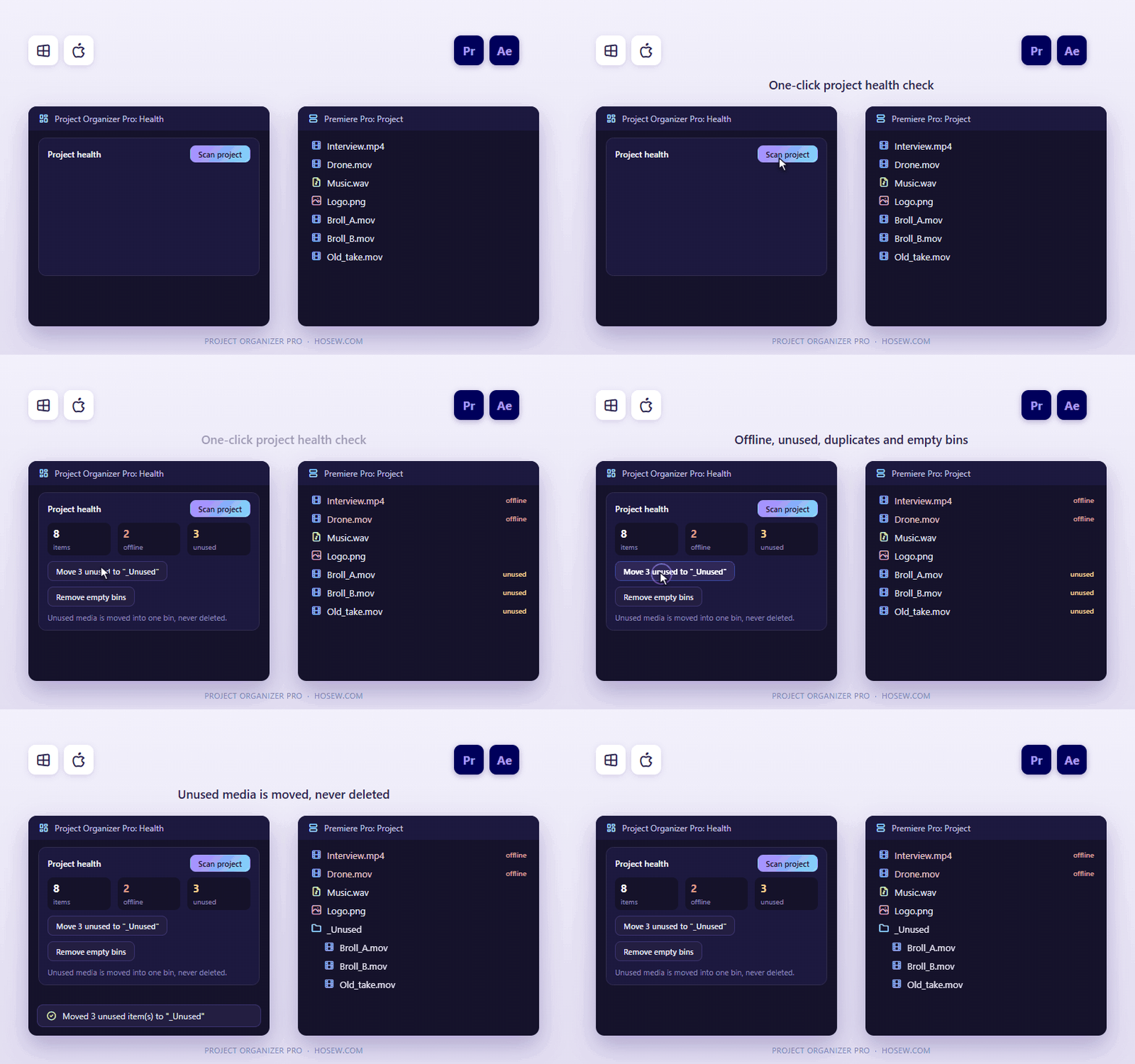
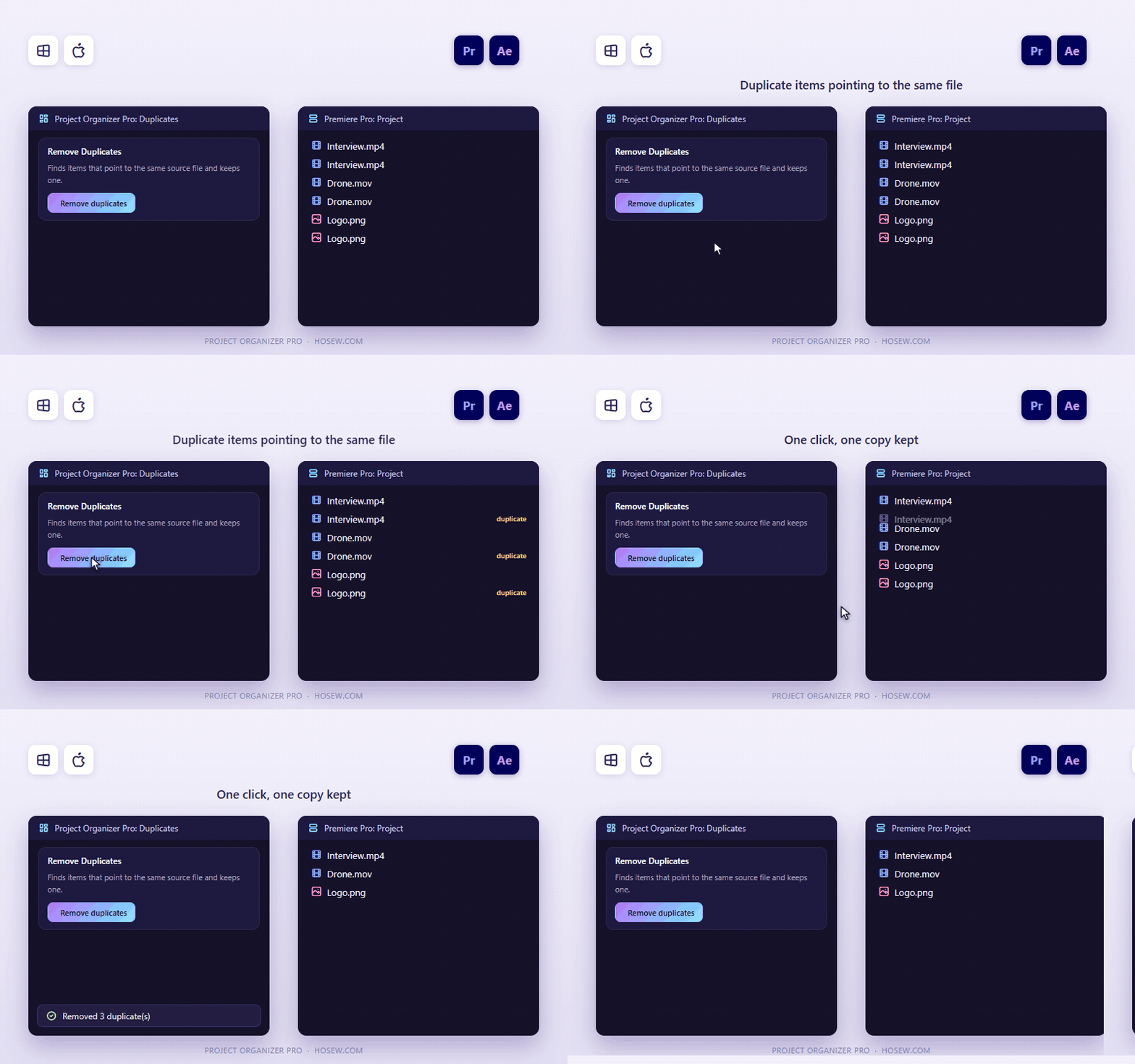
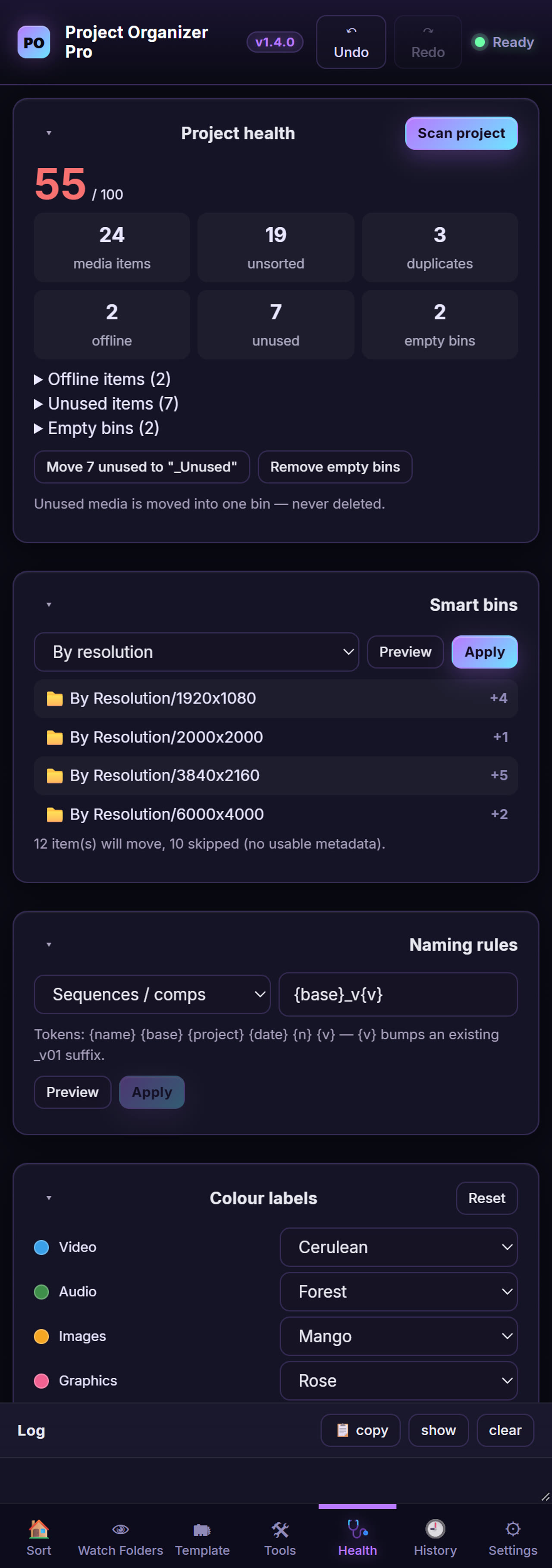
One-click health check: offline media, duplicates, unused clips and empty bins. Unused media moves into one bin and is never deleted.
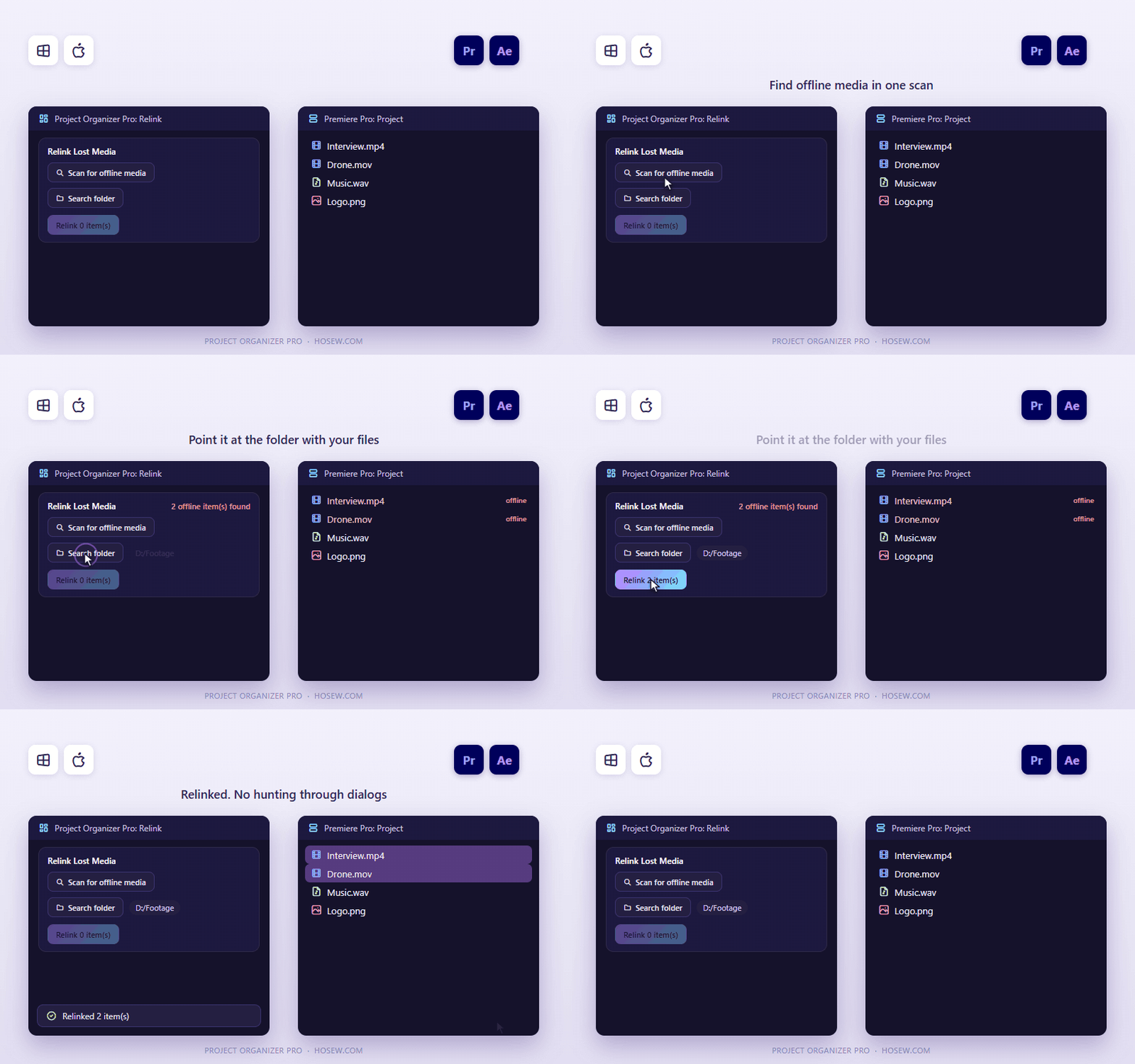
Relink lost media
Scan for offline items, pick the folder with your files, and relink what is found.
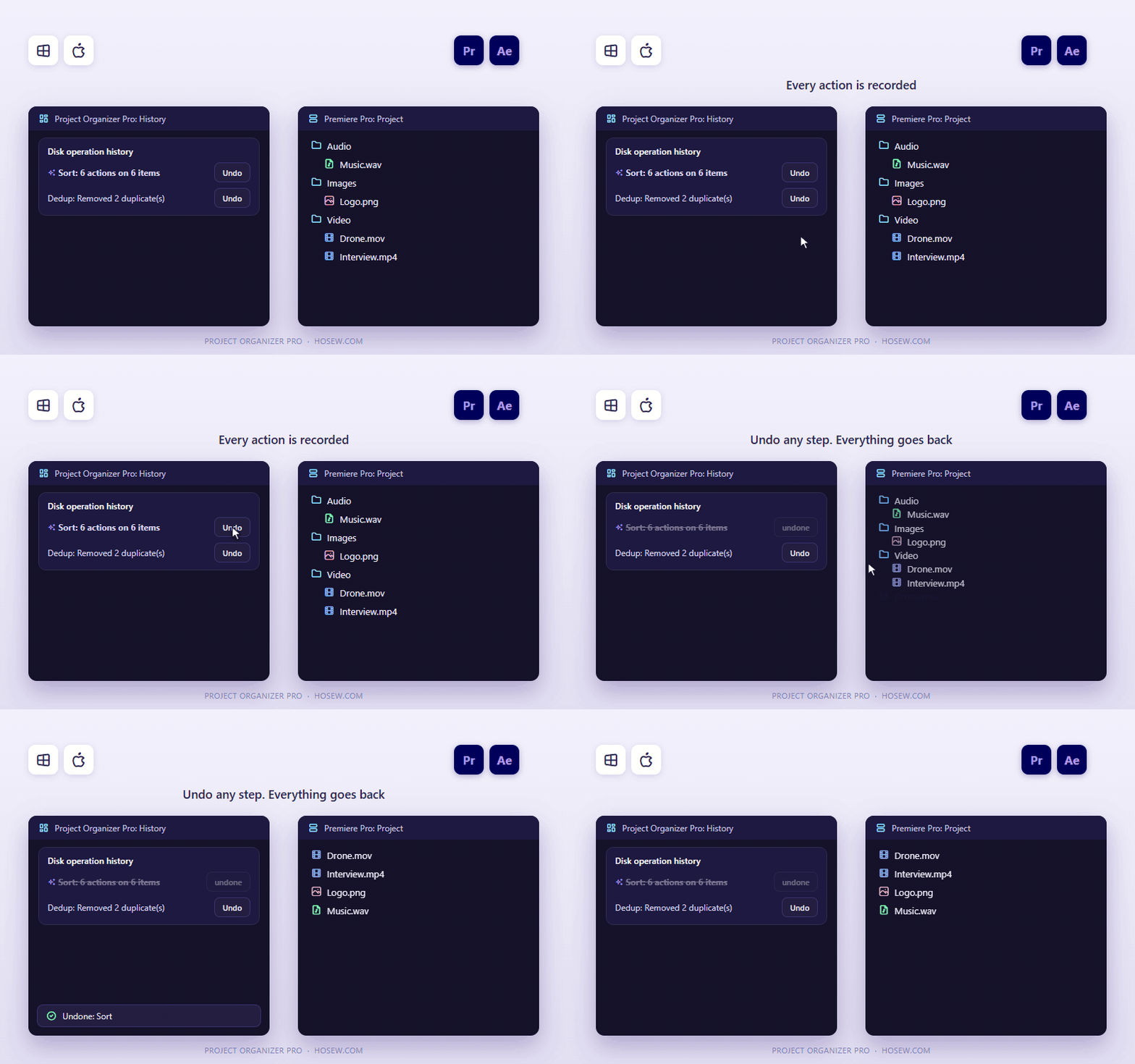
Undo anything
Every action is recorded in History, with full undo and redo and a 14-day history.
Organise and label
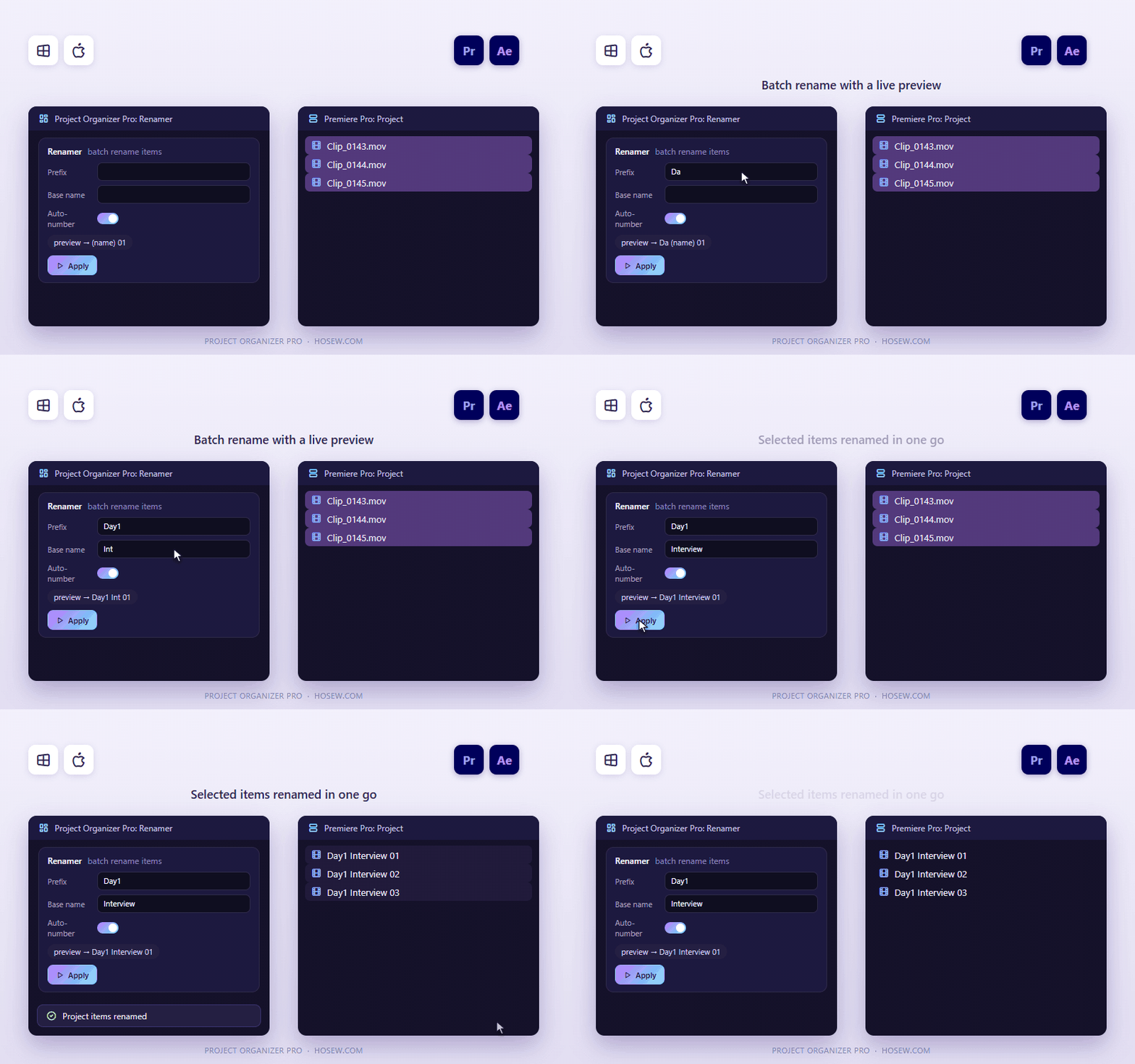
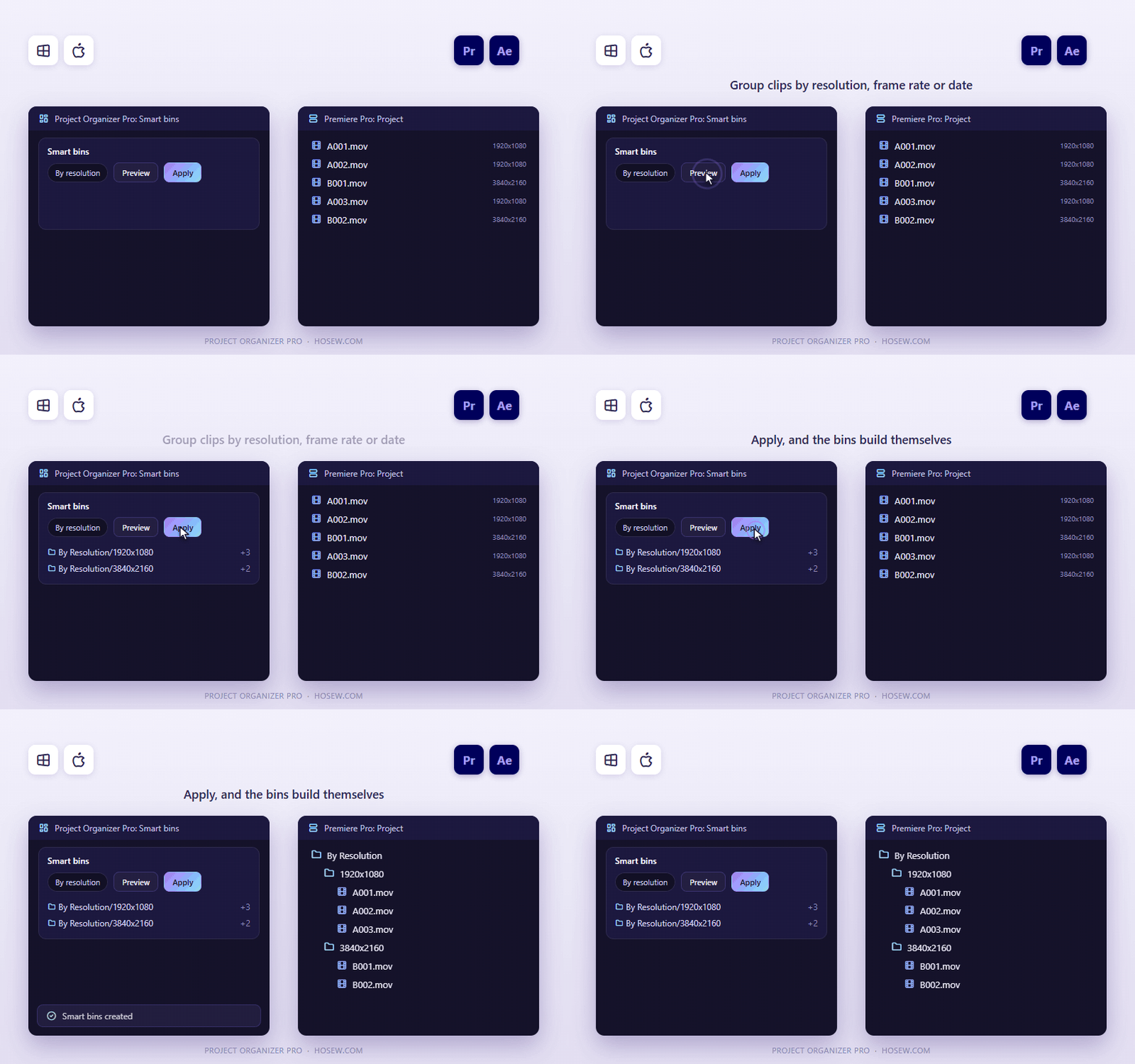
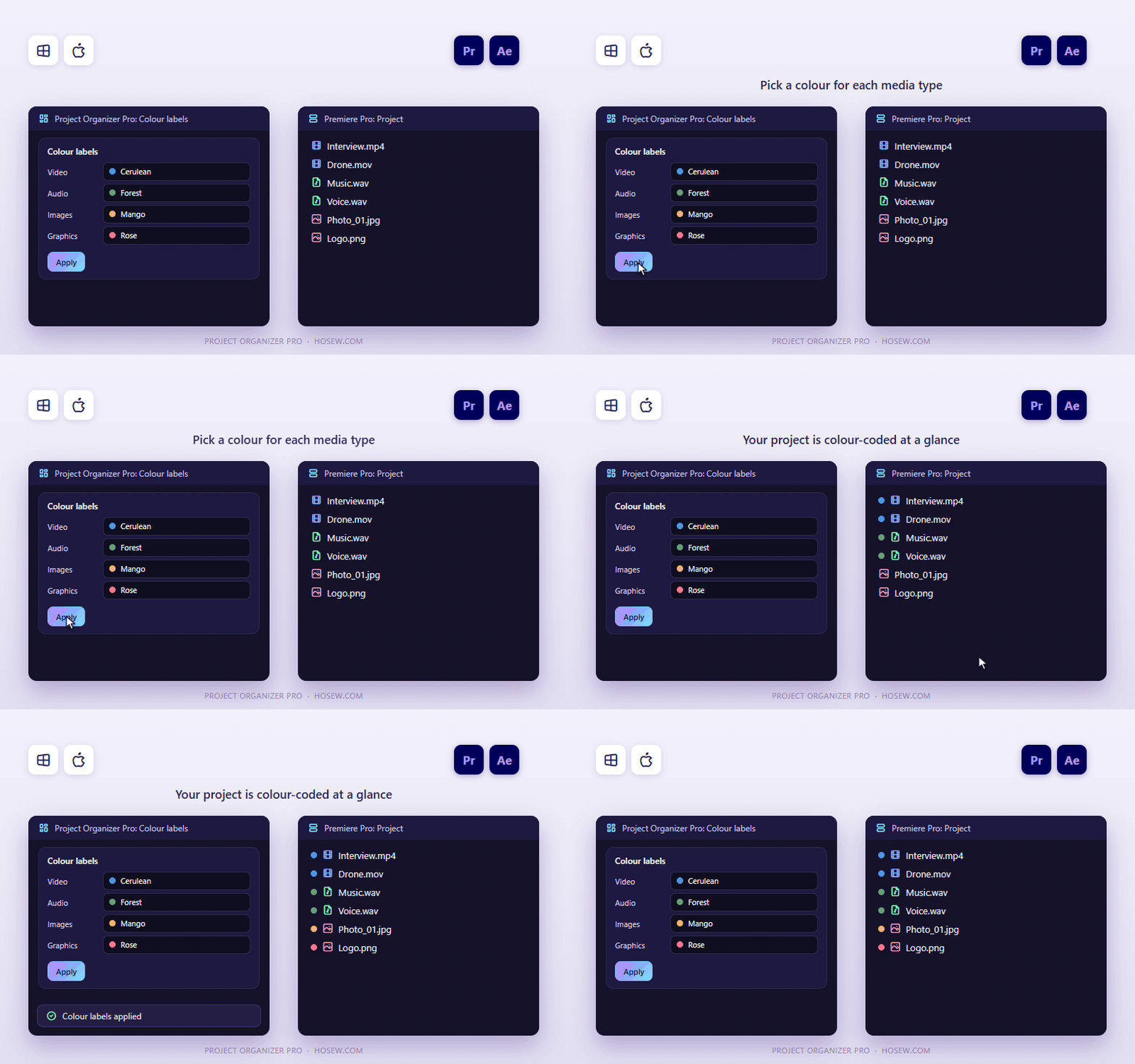
Batch rename with a prefix, base name and auto-number, with a live preview. Smart bins from resolution, frame rate, shoot date or orientation. Colour labels per media type.
Premiere Pro extras
Reduce Project keeps only the assets used by selected sequences. Handy Collect gathers the project and its media into one folder.
Simple licensing
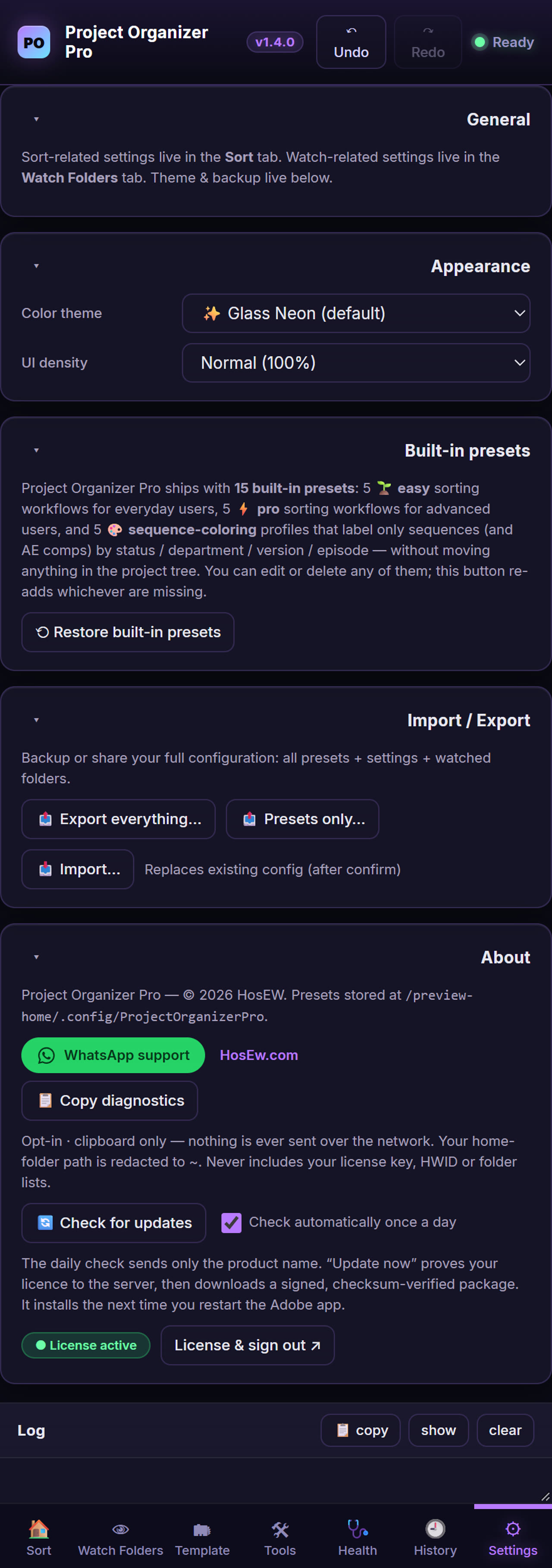
One active device at a time; sign out inside the plugin to switch computers. Works offline for 7 days between online checks. Free updates within version 1 with "Update now".
See it in action
Short clips of the real panel.
Get started in three steps
Install the panel
Signed .zxp installers for Windows and macOS, or the one-click script installer.
Start your free trial
From the activation screen: 7 days, all features, no card, one trial per computer.
Preview, then sort
Press Preview to see what will move, then Sort now. Undo any step. Updates install from inside the plugin with Update now.
Tutorials & demos
Video walkthrough
Screenshots
Frequently asked
Which apps and systems does it support?+
Project Organizer Pro works with Premiere Pro, After Effects 2024 and newer, on Windows 10/11 (64-bit) and macOS (Intel and Apple Silicon).
Can I try it before buying?+
Yes. Start a free 7-day trial from the activation screen inside the plugin: all features, no card, one trial per computer.
How do I install it?+
You get signed .zxp installers plus a one-click script installer. Install, open the panel in Premiere Pro, After Effects, then activate with your license key.
How many computers can I use it on?+
One license is active on one device at a time. Sign out inside the plugin to move it to another computer. It works offline for 7 days between online checks.
Do I get future updates?+
Yes. Updates within version 1 are free and install from inside the plugin with "Update now".
What if it doesn't work for me?+
Ask for a refund within 14 days and you get it, no questions asked. You can also message support on WhatsApp +20 155 155 3467 or at support@HosEw.com.
Ready to try Project Organizer Pro?
Get it for $21 instead of $30 while the launch offer lasts — or message us on WhatsApp for an even lower price.